New: Create 360° Canvas Online – with AI Summaries

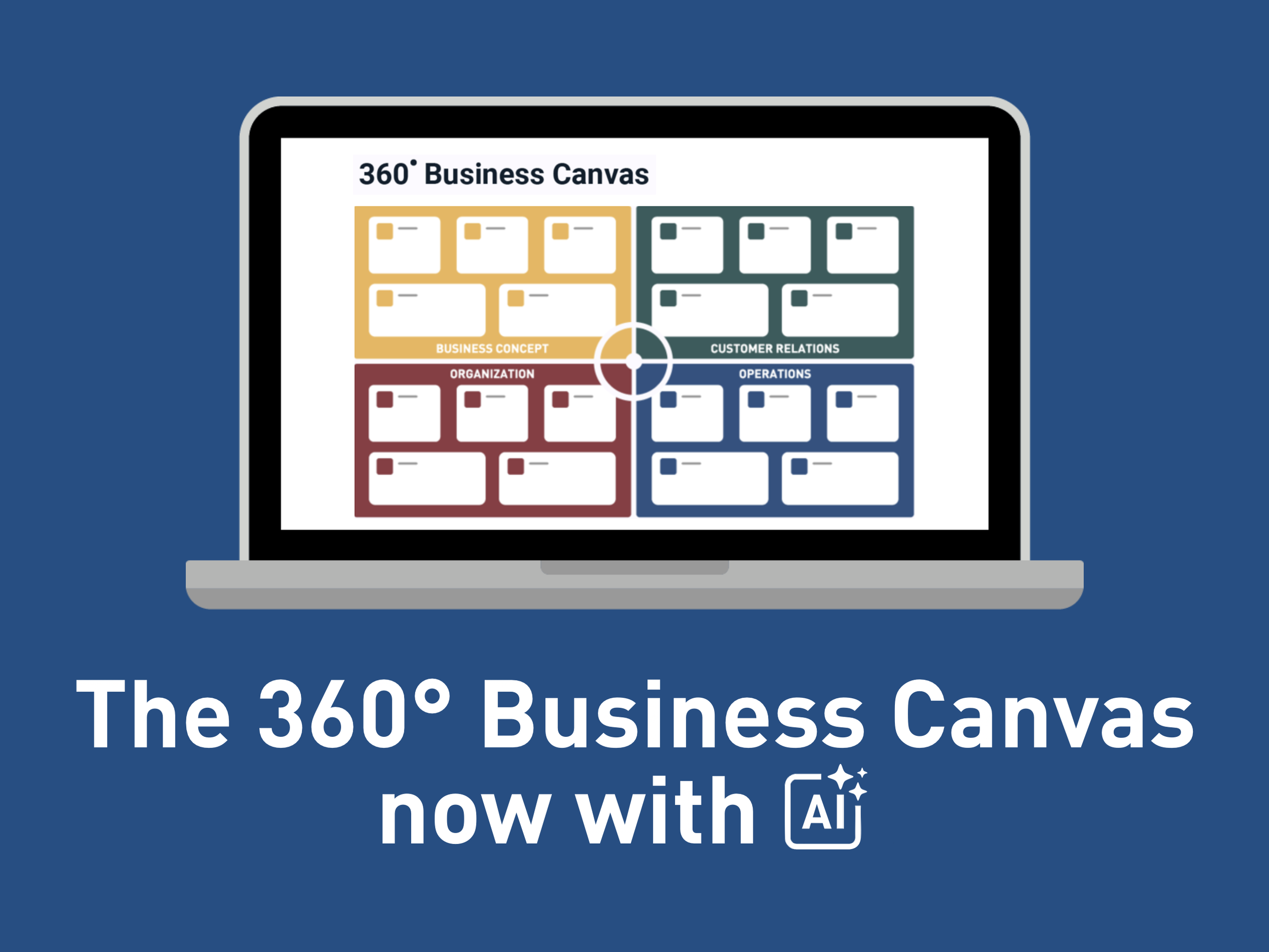
The 360° Business Canvas Online is here! Now with AI Summaries.

You can now create and work with the 360° Business Canvas directly in GrowthWheel Online. Build the canvas in the cloud, collaborate with clients, and generate structured insights with AI as you go.

To get started, open the quick access menu, select a client, and click “+ Create 360º Business Canvas.”

Add a title, choose whether the canvas represents the current or future business, and begin filling out the focus areas section by section.

In this short video, Elizabeth will show you how to use this in GrowthWheel Online:

Available only for GrowthWheel Certified Business Advisors to share with their clients


What You Can Do with the New 360° Business Canvas Online


Generate AI summaries:

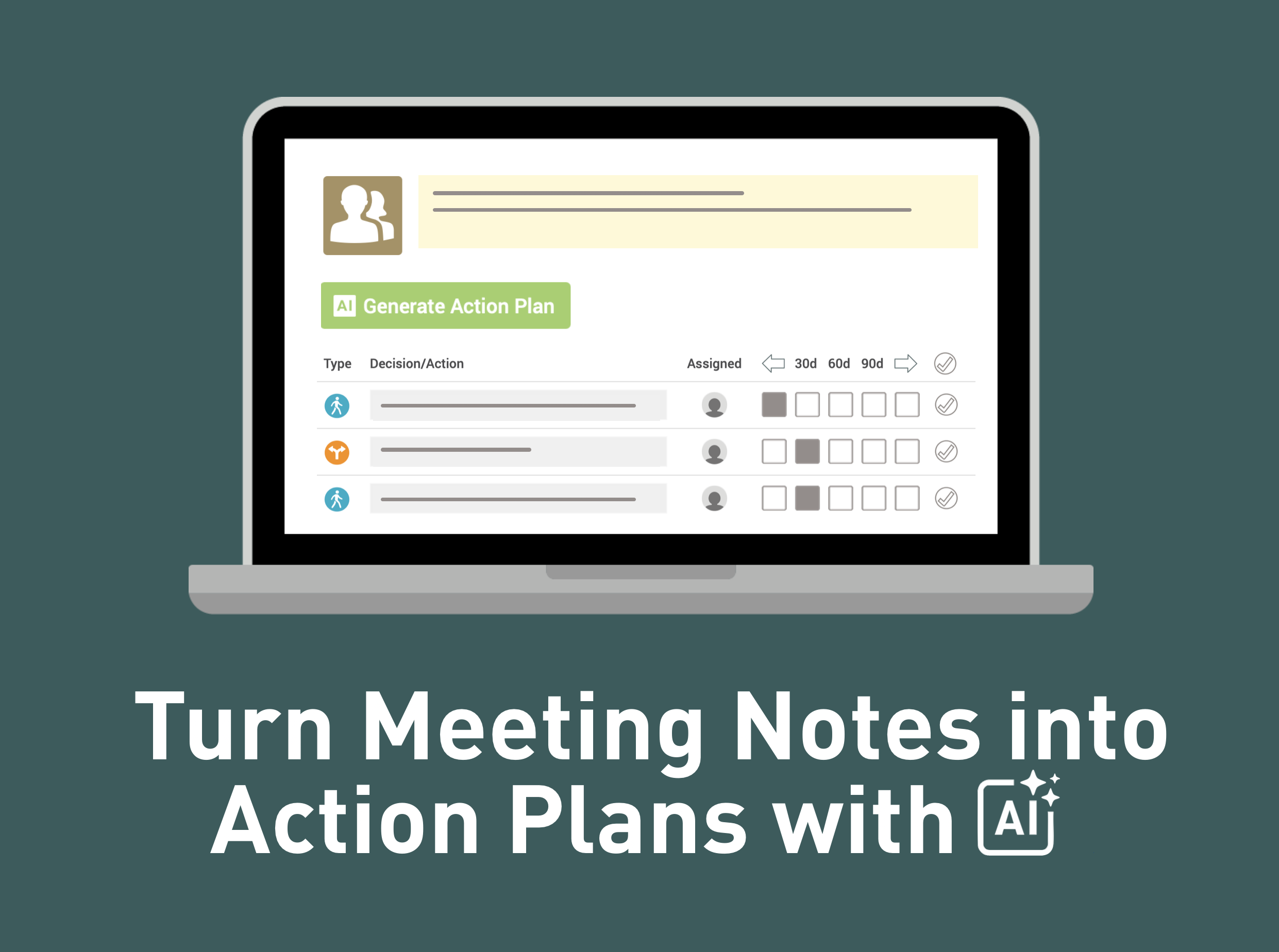
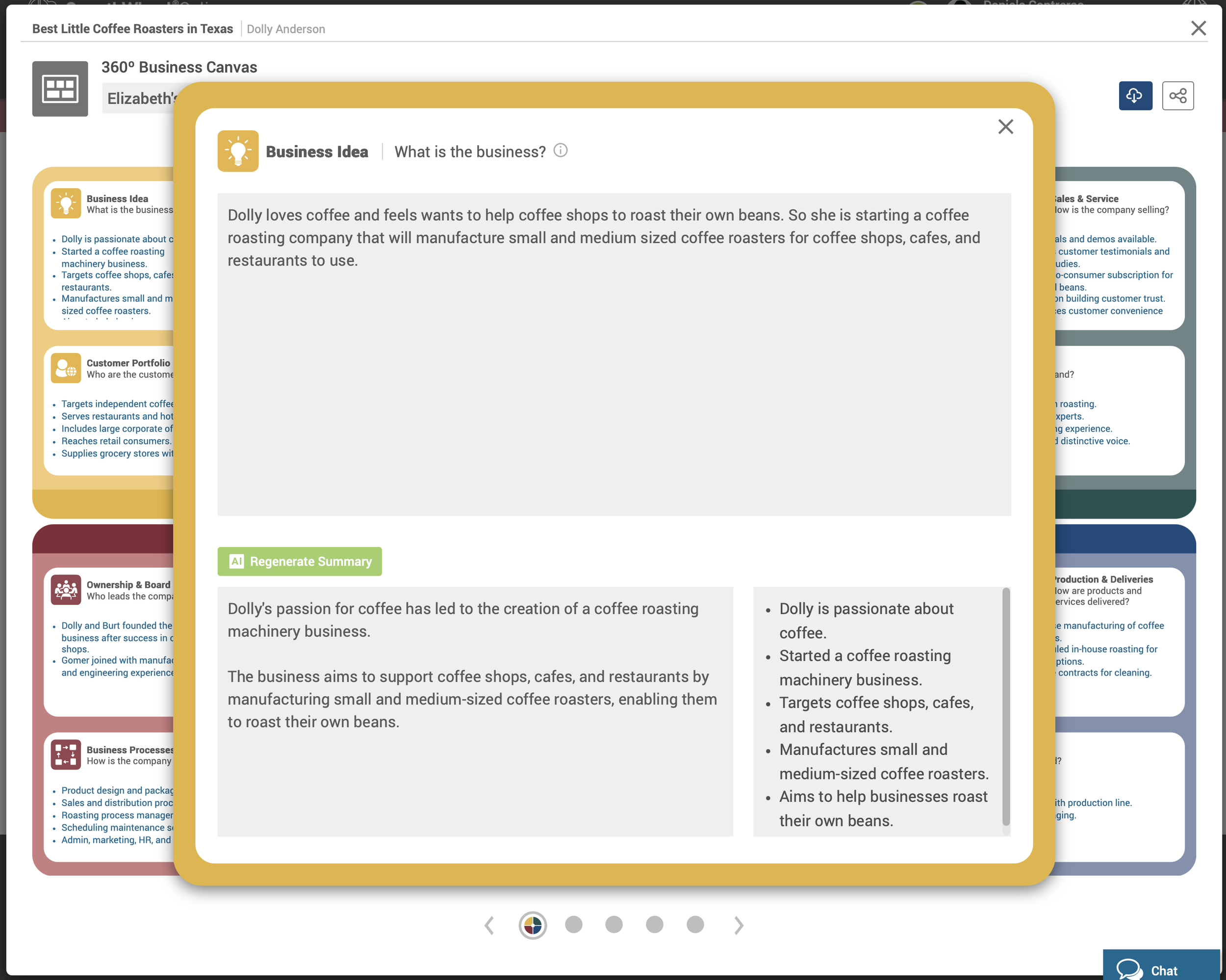
Add any input to each focus area and click “Generate Summary” to instantly create a structured overview and bullet points with AI.

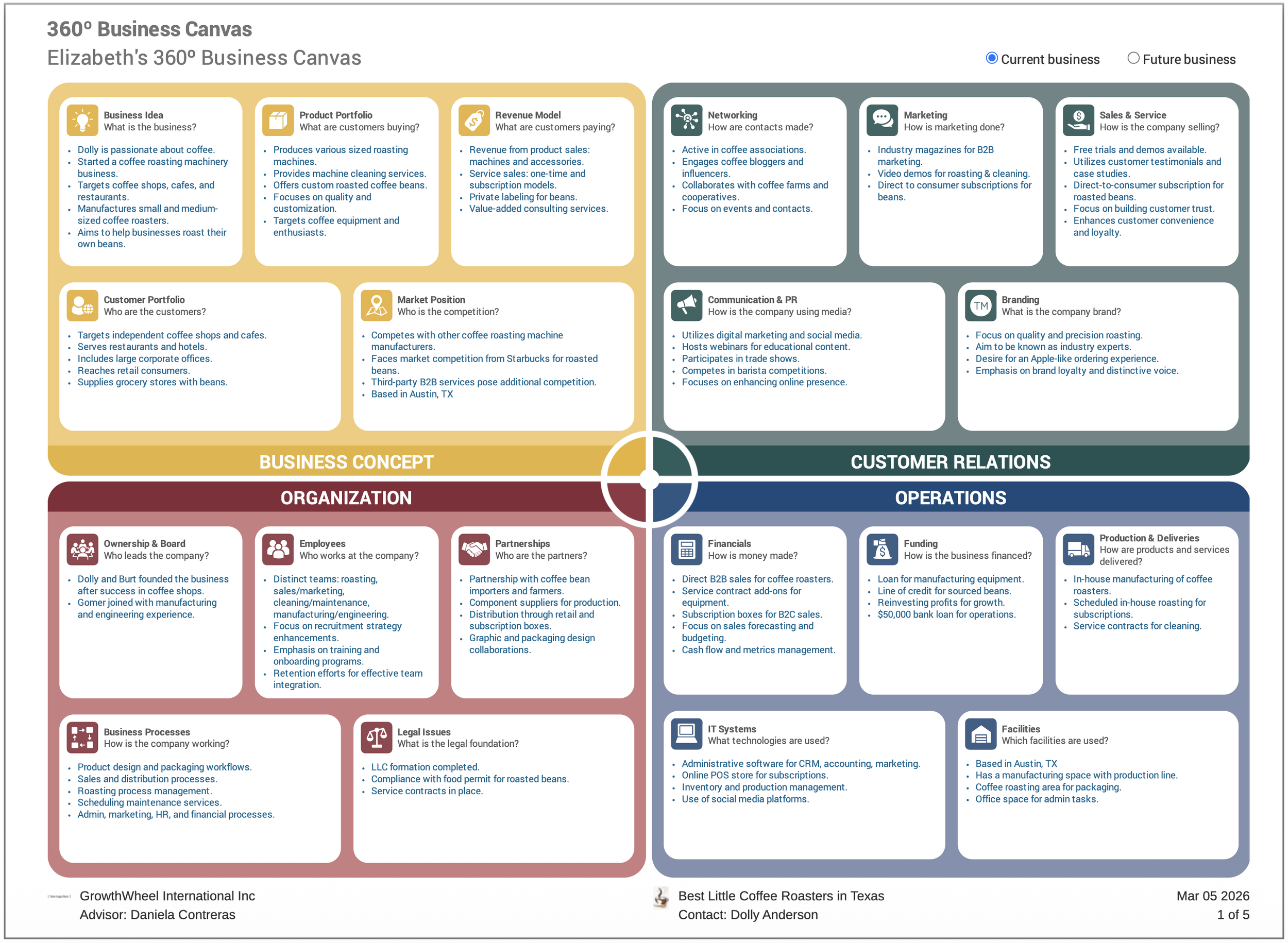
  • The short bullet points are added to the main canvas

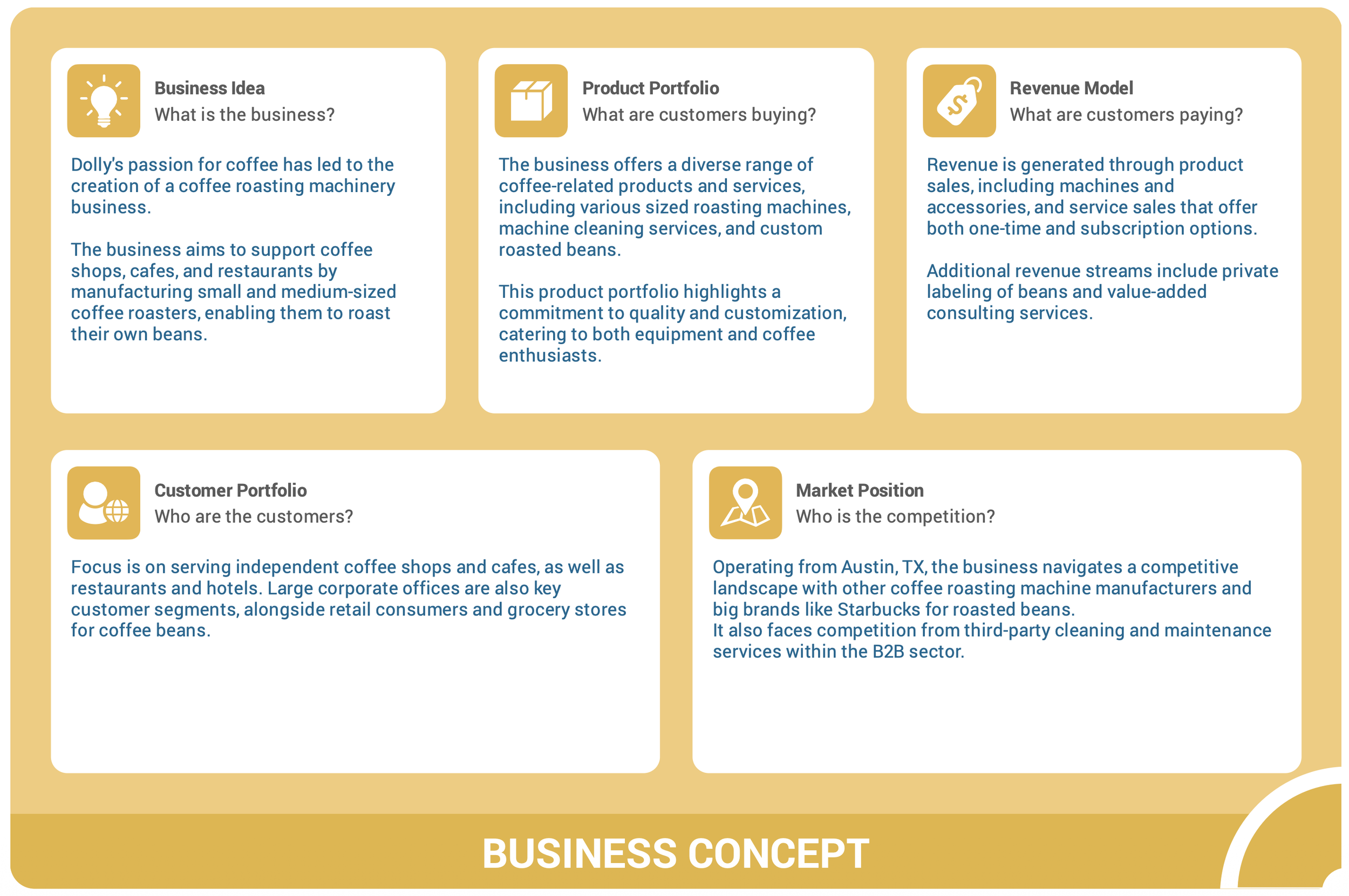
  • A longer summary is saved inside each focus area

  • Works across all 20 focus areas as you build the 360º Canvas

Use the slider to navigate through the 360º Canvas areas. The more context you add, the stronger and more relevant the AI output becomes.


Generated AI Business documents:

Once your canvas is complete, you can generate supporting documents such as:

  • Conversation starters for advisor sessions

  • Potential growth opportunities

  • Market research ideas

These documents are generated from the content of the 360º Business Canvas and are designed to support productive advisor–client conversations.


Download a 360º Canvas in PDF:

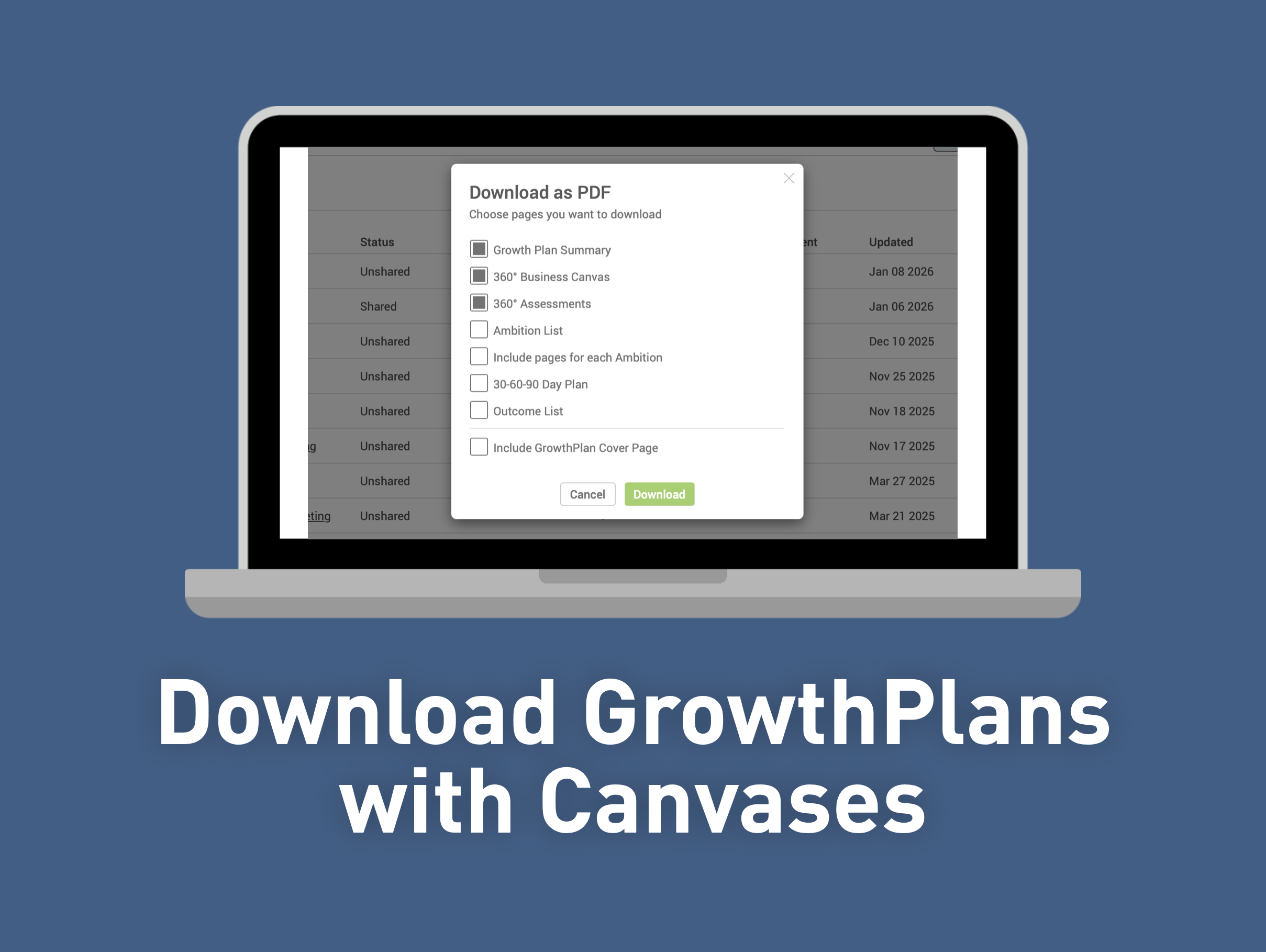
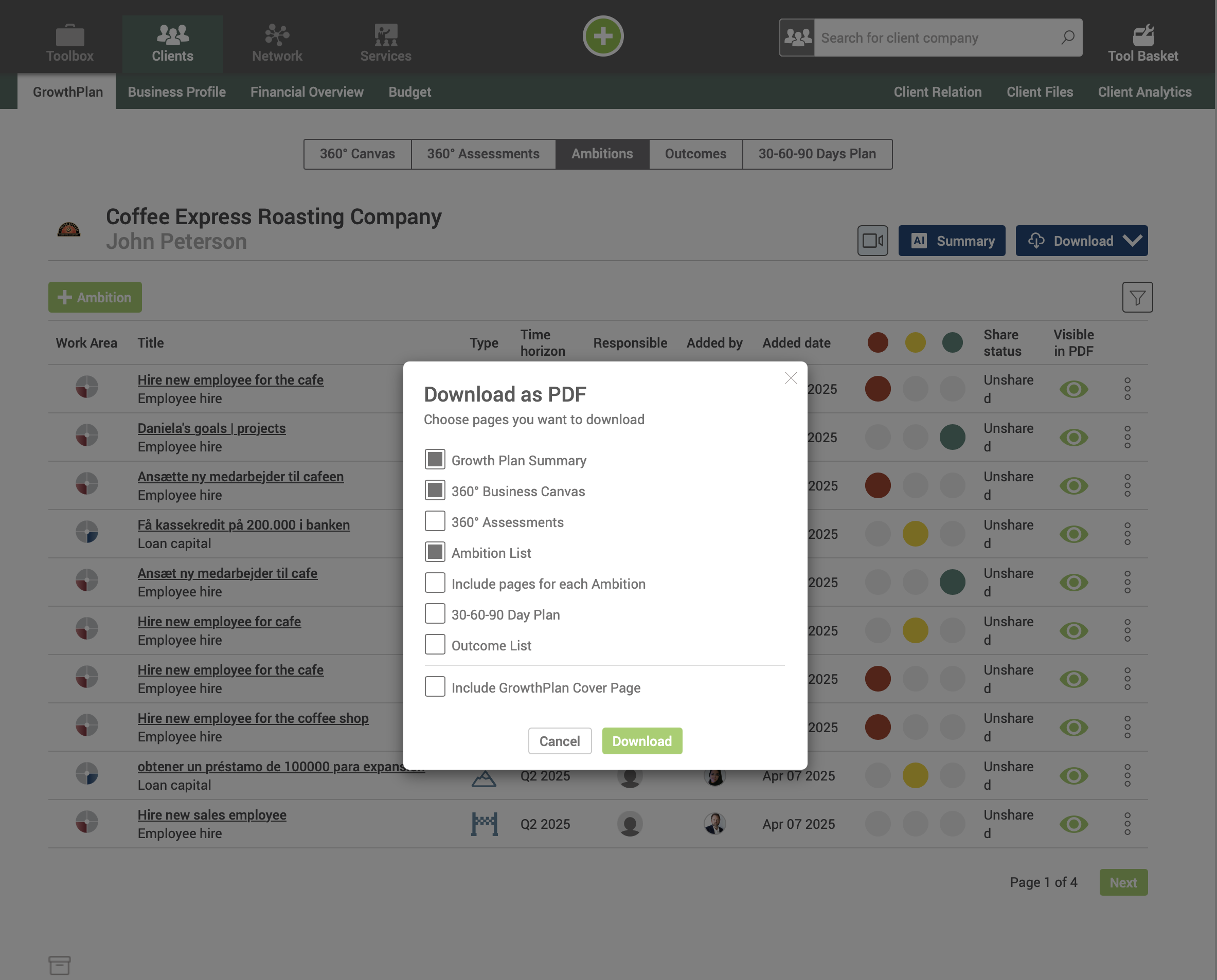
Export the full canvas as a clean, professional PDF at any time to be easily shared. The exported file includes:

  • A first-page overview with key bullet points

  • Four individual pages with detailed summaries per focus area


Request clients to complete a 360º Canvas:

You can also invite clients to create their own 360º Business Canvas.

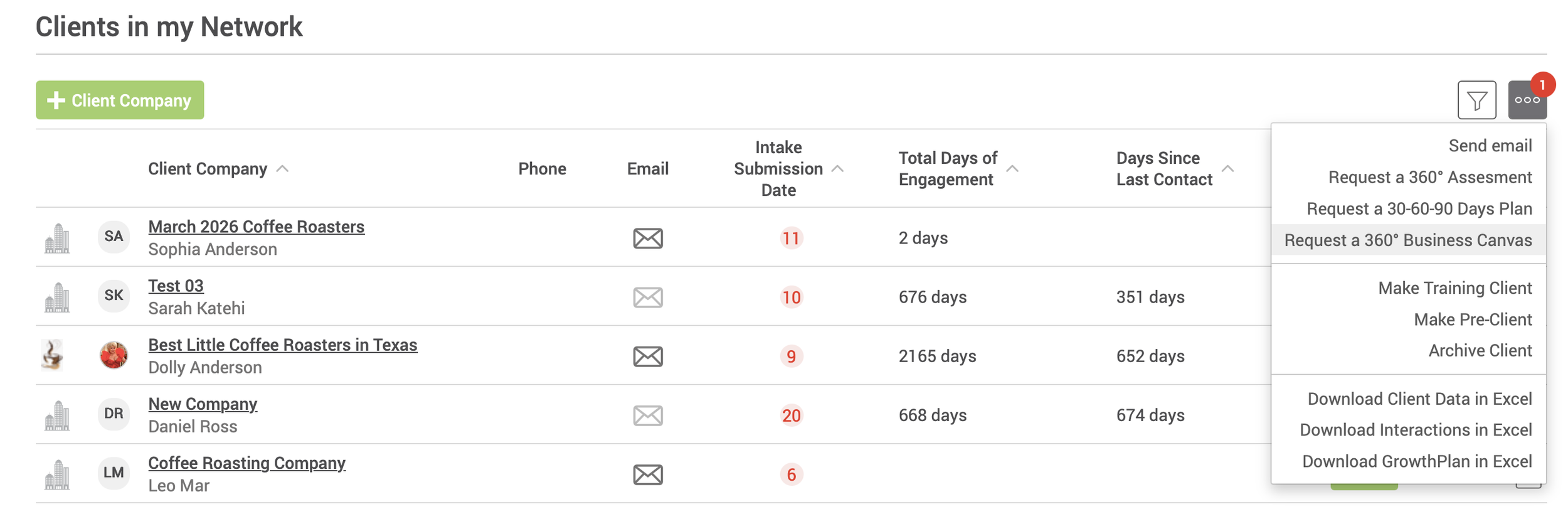
From the client list, select one or more invited clients, open the three-dot menu, and choose “Request a 360º Business Canvas.”

The client will receive an email with a direct link to complete the canvas and share it back with you for review.


2025 in Review: The Newest Features on GrowthWheel Online

2025 was yet another year with monthly software updates — as always based on requests from the community of GrowthWheel Certified Business Advisors.

In 2025 we released new features and services in addition to various backend features in the software. Check them out below or see them in action on GrowthWheel Online.


Release overview

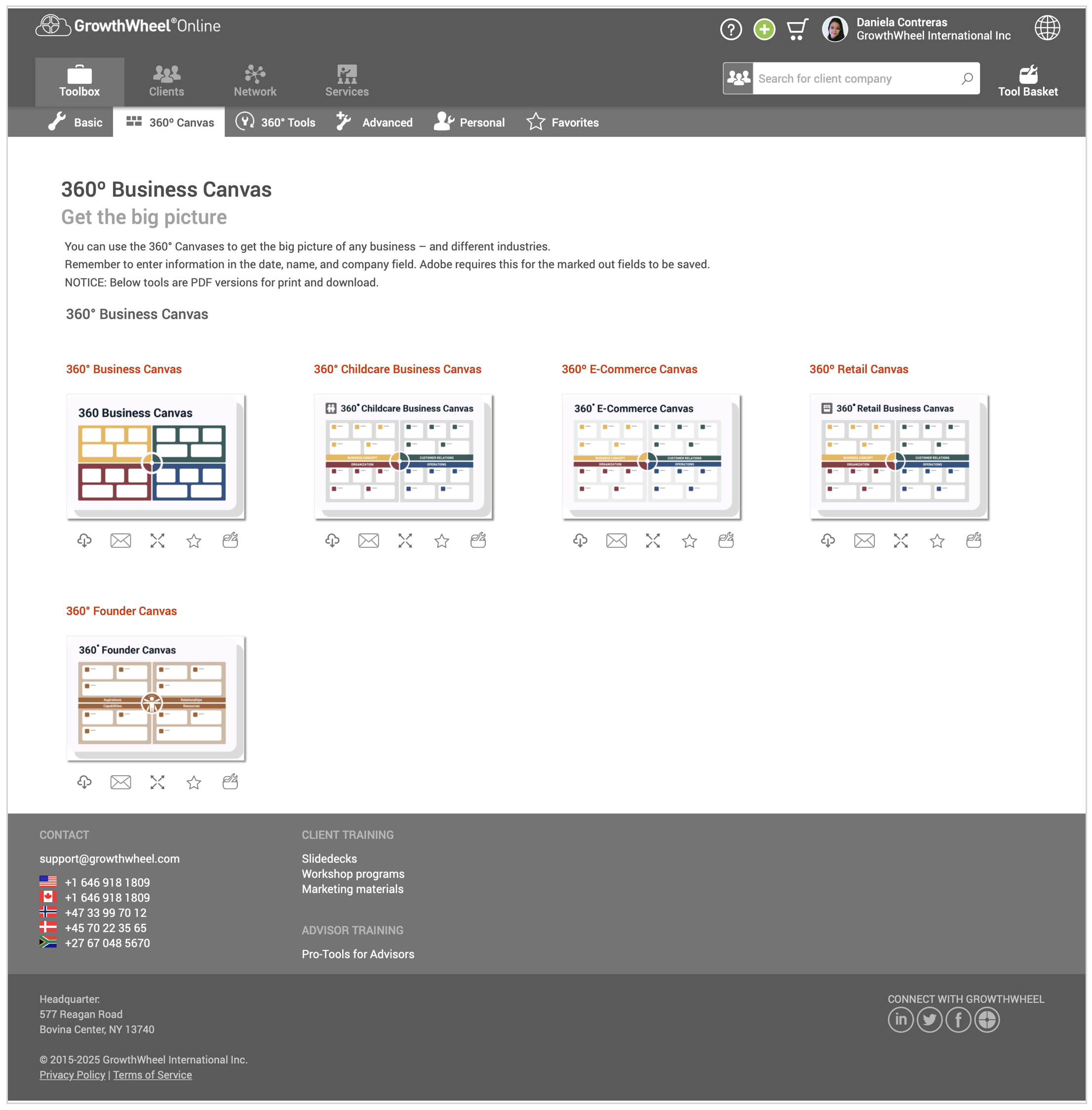
Access the new 360° Canvases all in one place

The 360° Business Canvas — and the new industry versions — has become the main starting point for many advisors working with clients.

Now, all 360º Canvas Tools have their own dedicated page for easy access.


The 360° Founder Canvas: Know What It Takes to Start a Business

The 360° Founder Canvas by GrowthWheel is designed to help aspiring entrepreneurs and advisors assess readiness and identify what it really takes to get started.


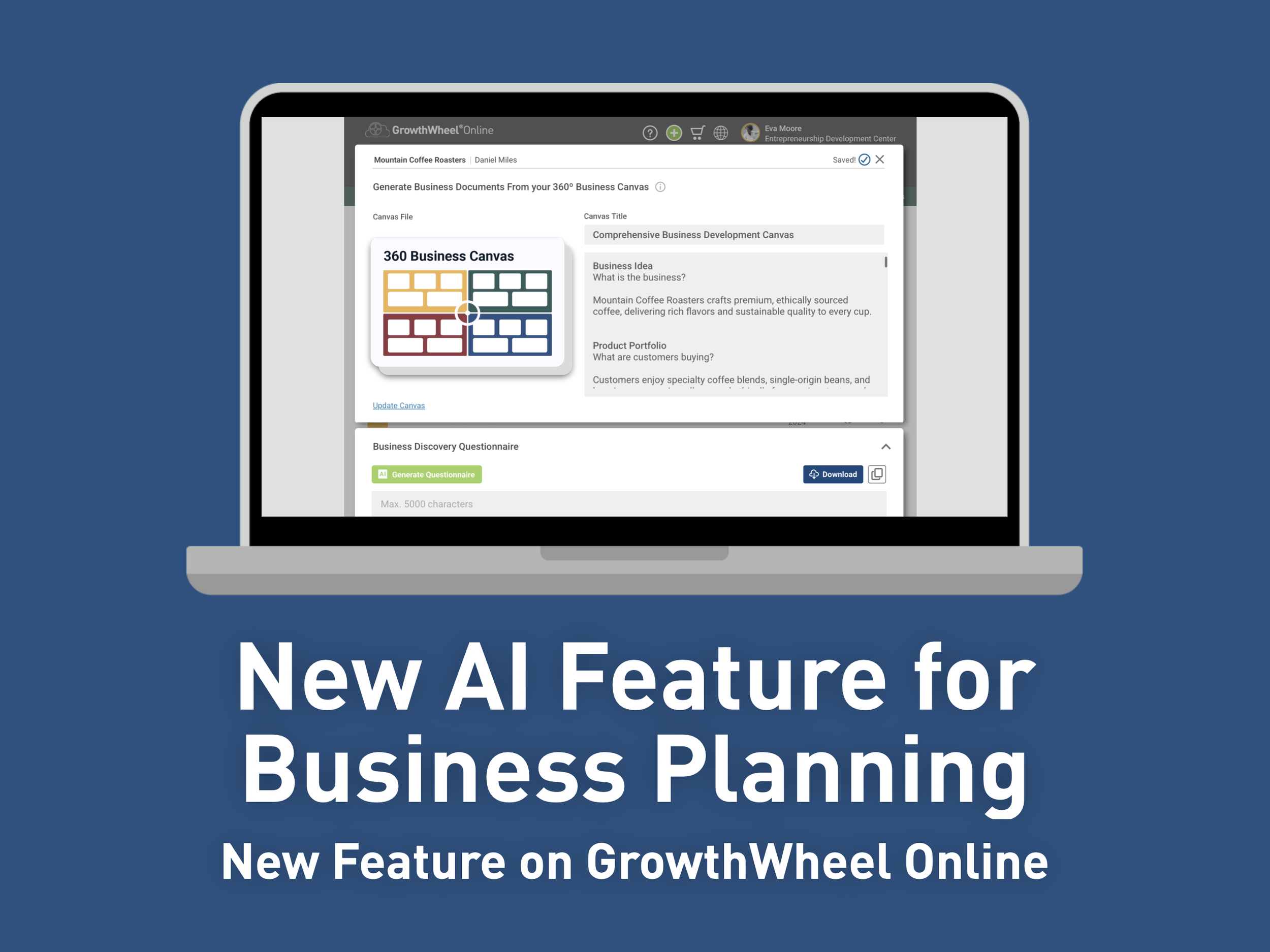
AI for Business Planning using the 360° Business Canvas

By uploading a 360º Business Canvas into GrowthWheel Online, you give the AI a complete big-picture view of any business, along with all the information it needs to serve you well.


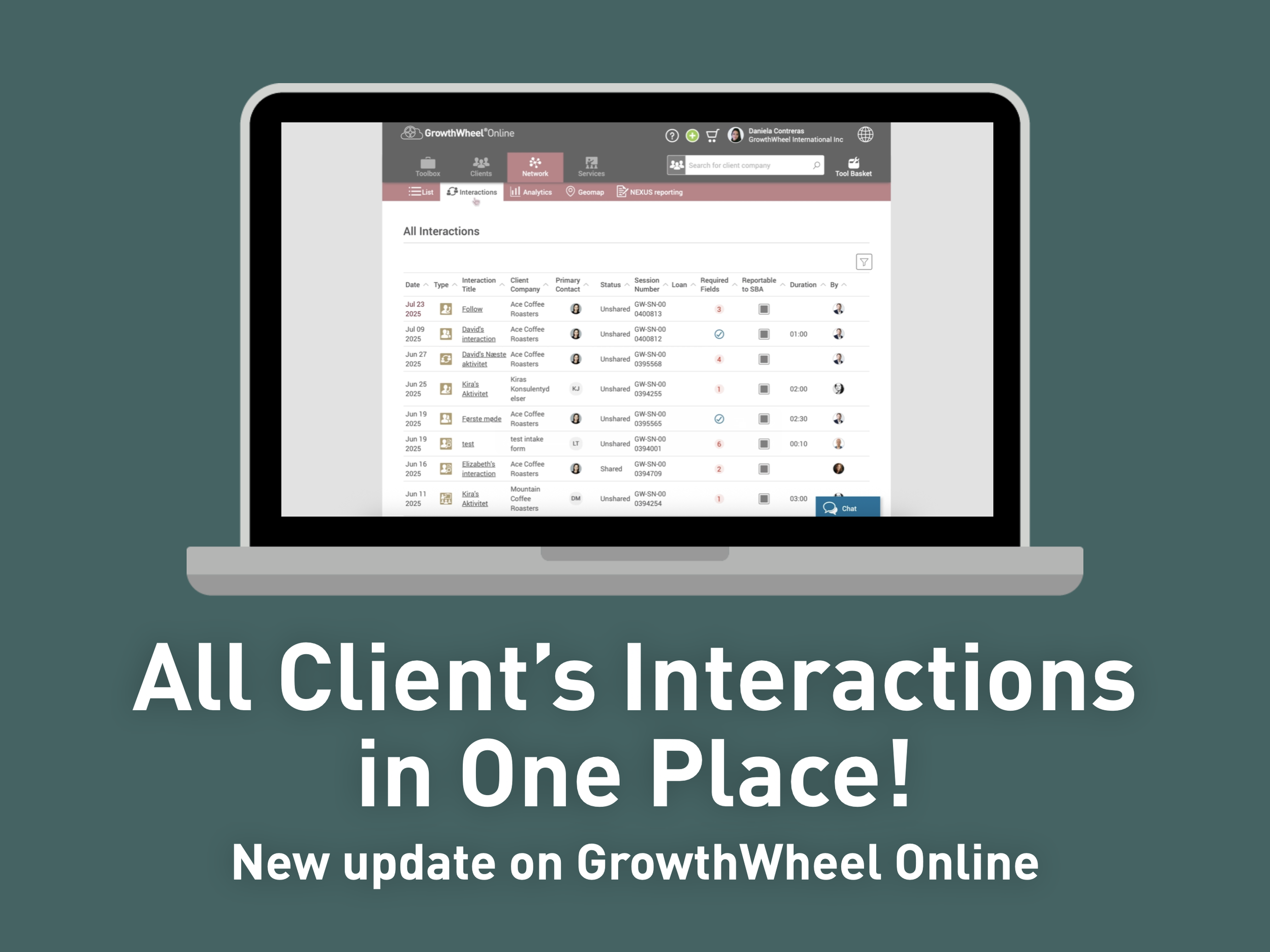
See All Your Client Interactions in One Place

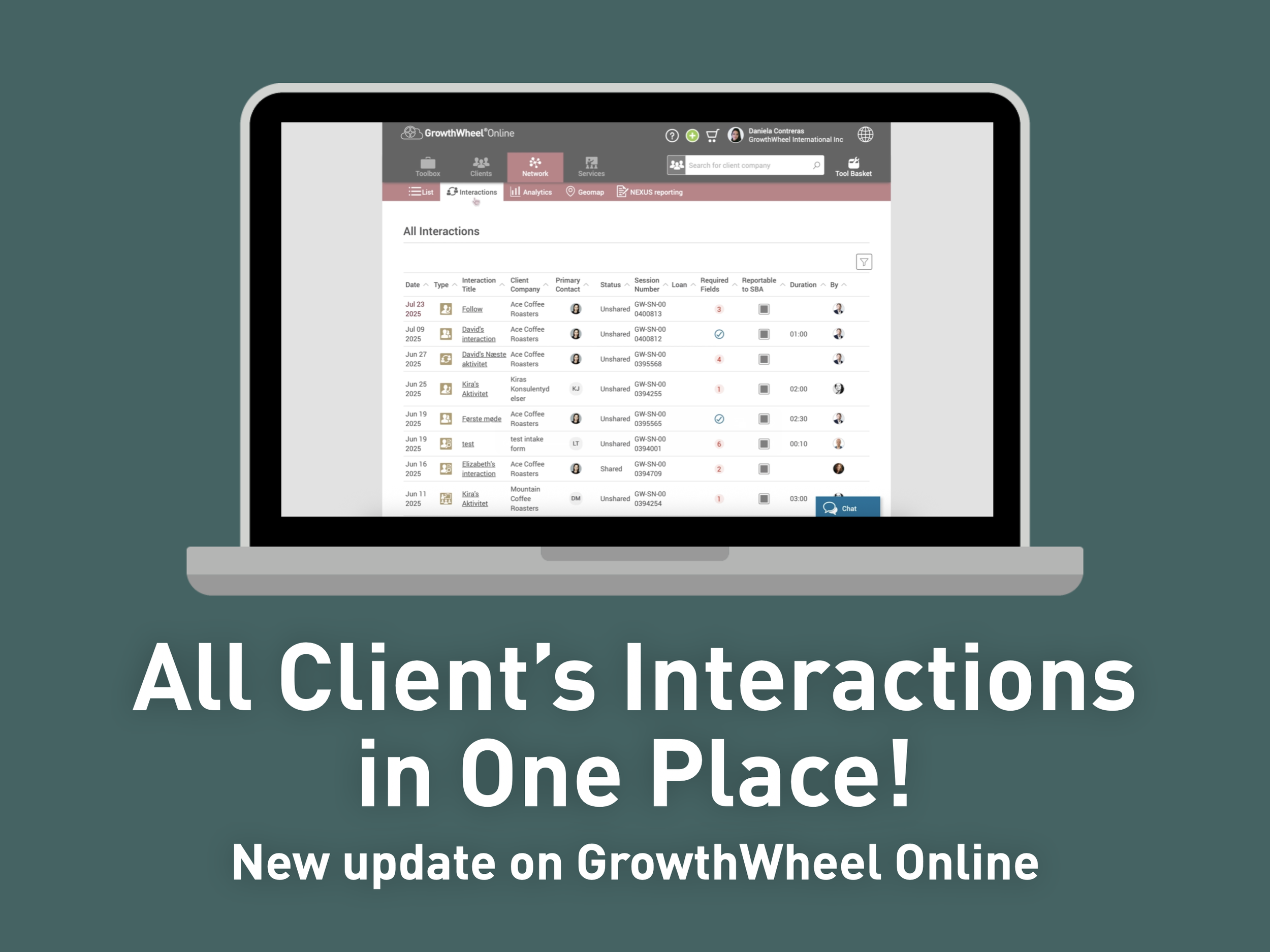
We’ve added a new “Interactions” submenu under the Network tab in GrowthWheel Online.

Now you have a single page with all your interactions across all clients, so you can see all your activities at a glance and get ready for your next step.


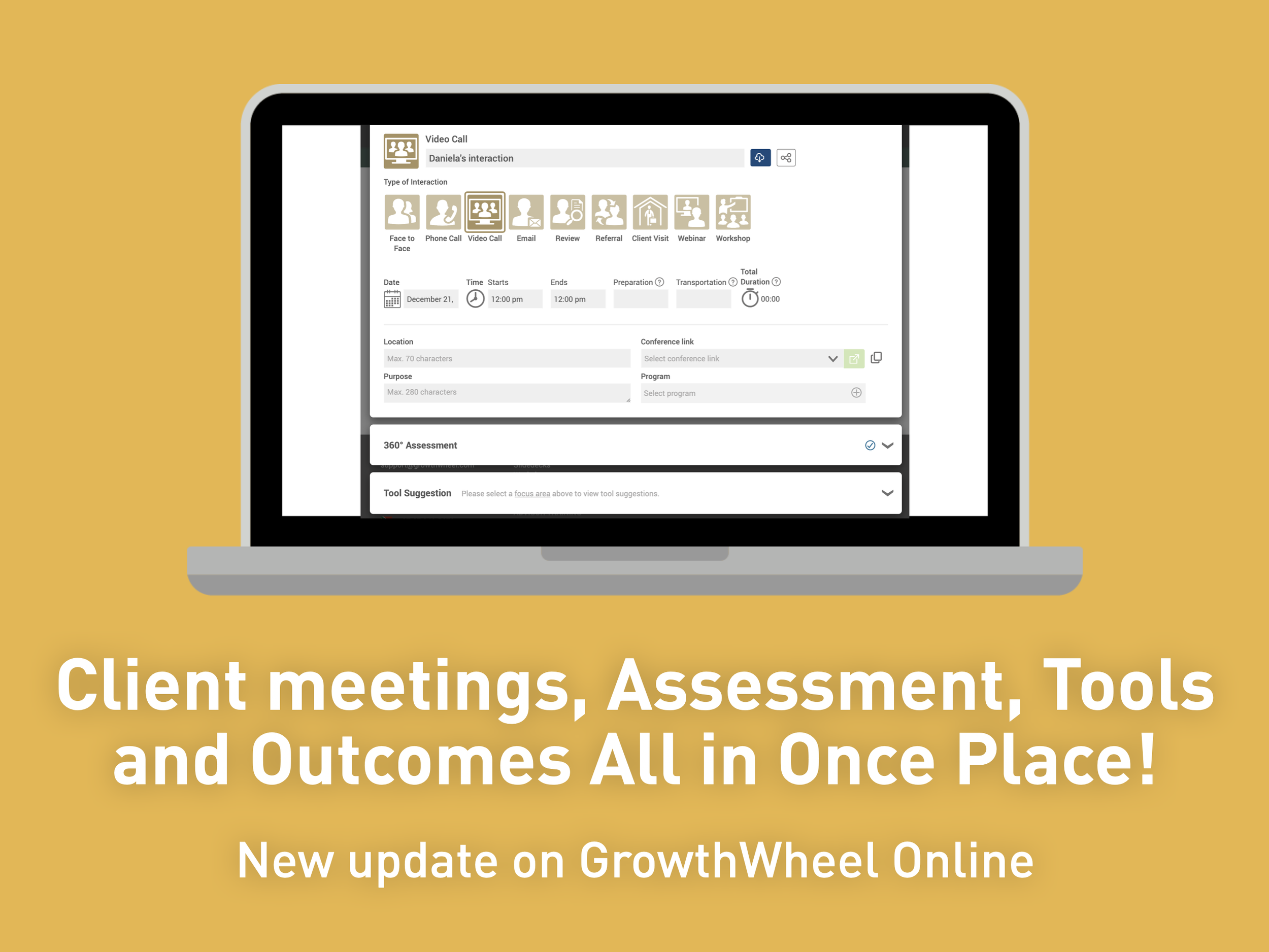
Interactions now includes: Assessment, Tools & Outcomes

We’ve added a new Assessment section so you can quickly create a 360° Assessment during each meeting.

The assessment will also appear in the client’s individual Assessment list and can be shared independently.


360° Assessment Pop-up With Suggested Tools

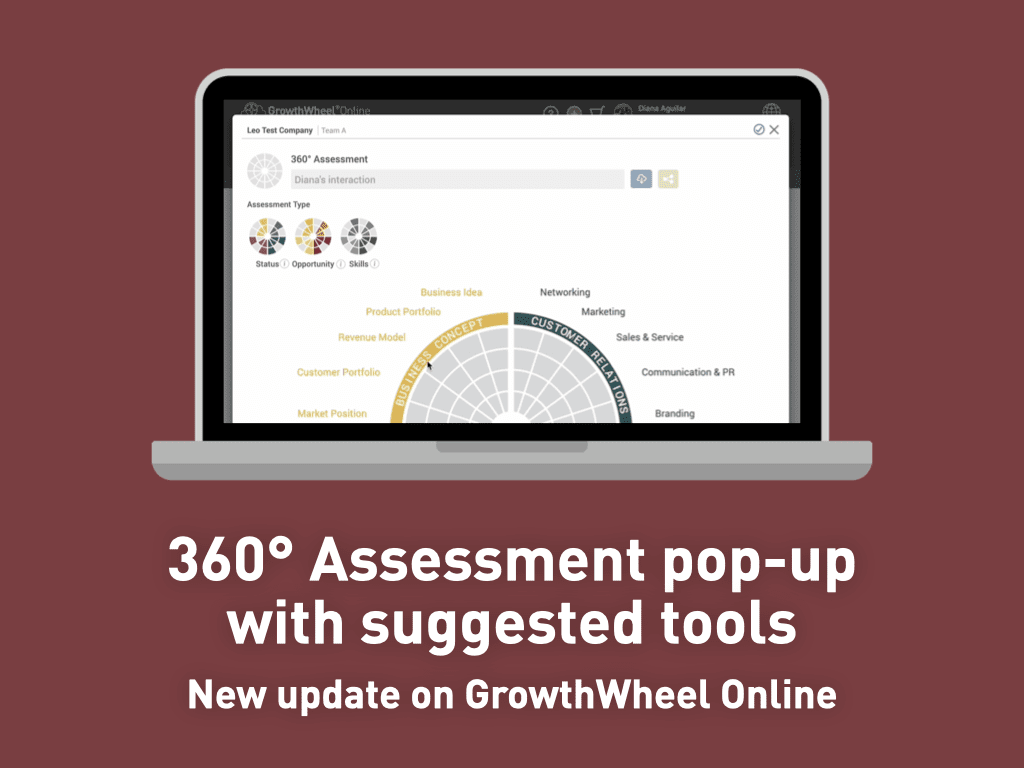
We’ve redesigned the 360° Assessment and linked it with the Tool Library, so you can easily work with clients on what matters most by assessing their needs and sharing tools—all within the same dialog.


360º Business Canvas Free Tool

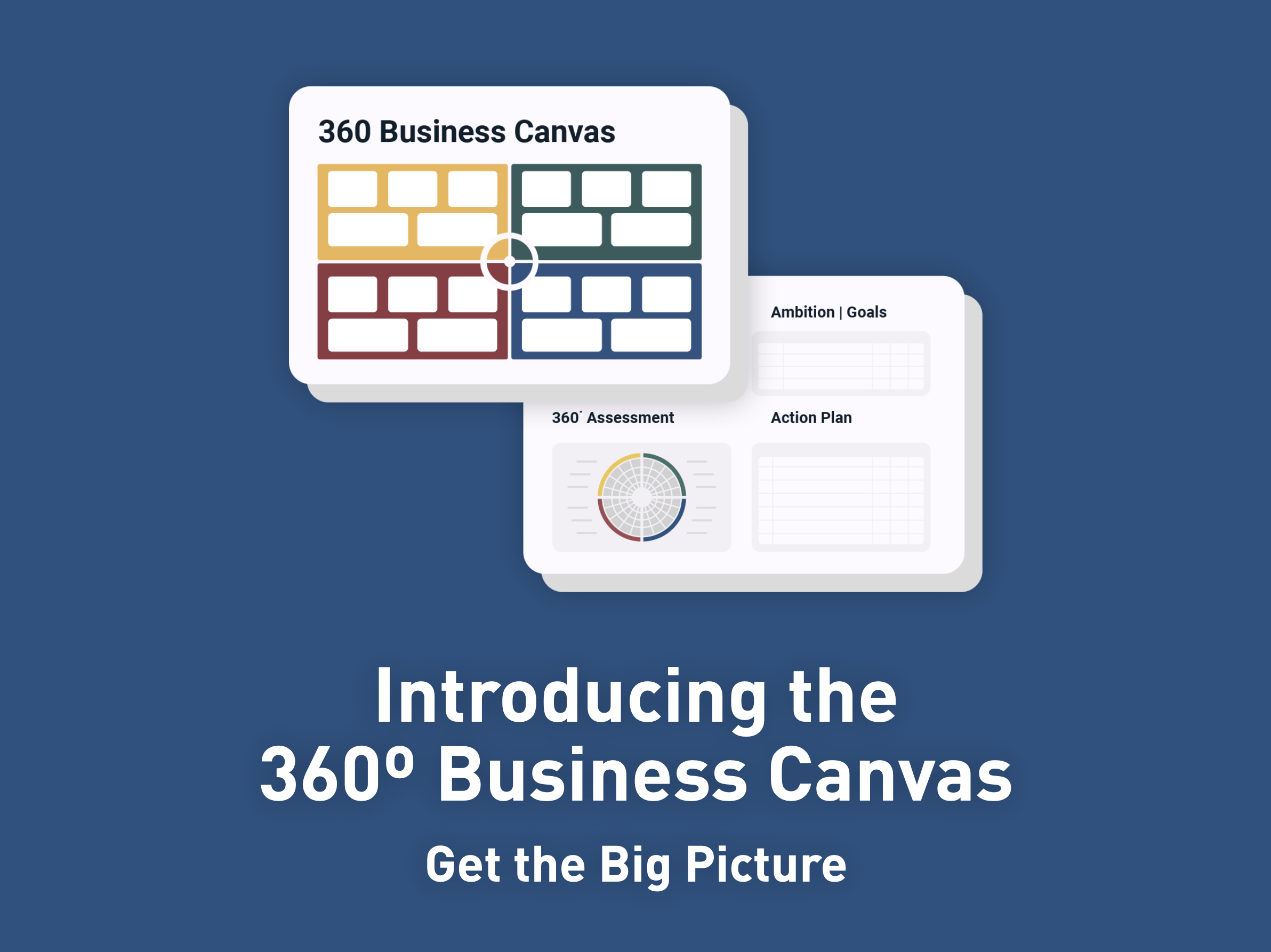
Understanding a whole business can be challenging. The 360º Business Canvas by GrowthWheel is designed to help entrepreneurs and business advisors get the big picture of any business. 


That's all for 2025! We will continue in 2026 with more updates from our community to help you be the best business advisors you can be.

Update: New 360° Canvas – All in one place

The 360° Business Canvas — and the new industry versions — has become the main starting point for many advisors working with clients.

Now, all 360º Canvas Tools have their own dedicated page for easy access.

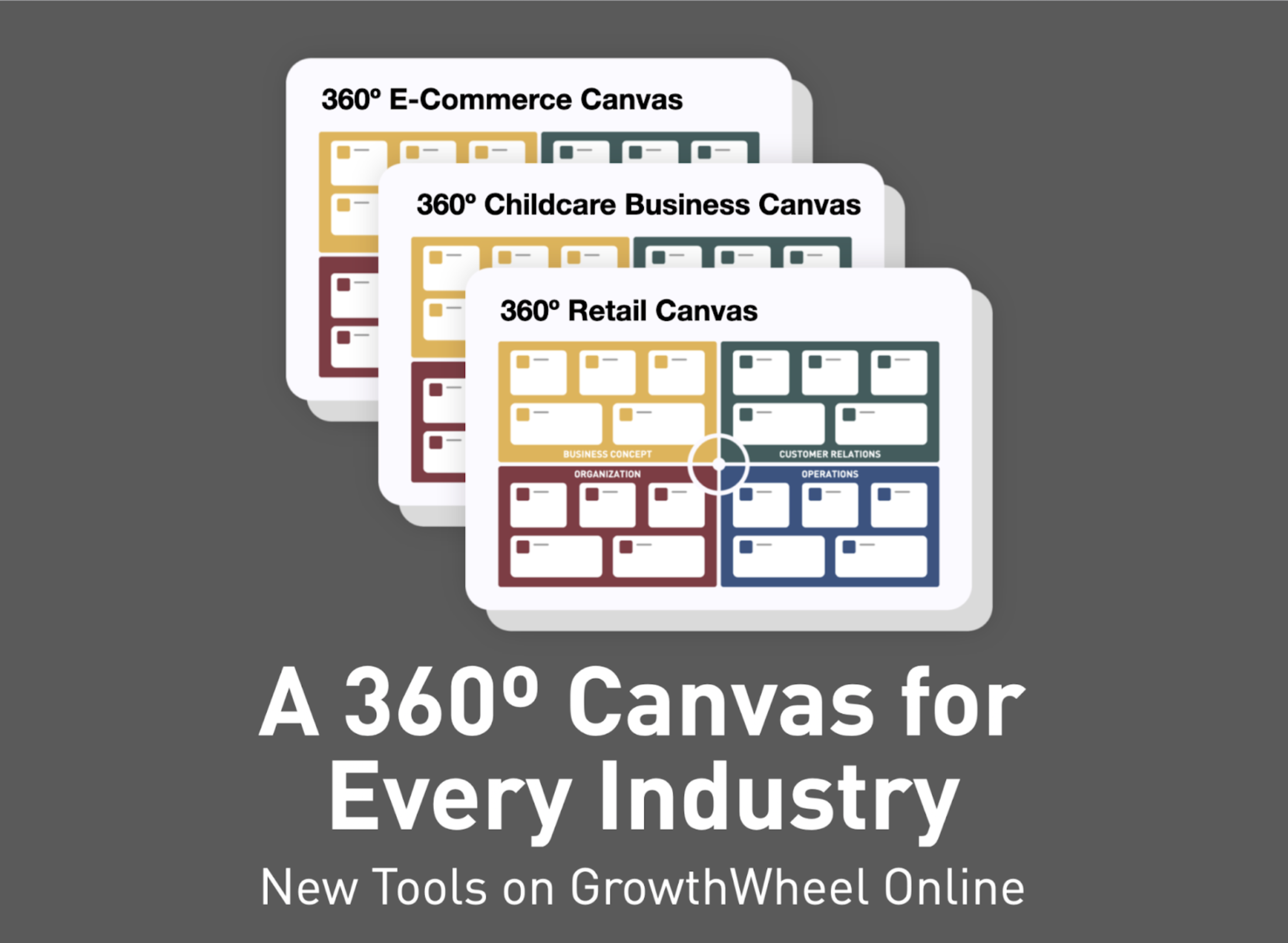
You’ll find a new submenu in GrowthWheel Online called 360º Canvas, where you can quickly browse, download, and share all available canvases.

In addition to the original 360º Business Canvas, you can now explore our growing collection of industry-specific canvases, including the 360º Child Care Canvas, the 360º Retail Canvas, and the 360º E-Commerce Canvas — with more on the way!

Look out for new canvas in the coming months and let us know if there’s a canvas you’d love to see next.

You can start sharing these new tools with your clients right away, in just a few clicks!

Available only for GrowthWheel Certified Business Advisors to share with their clients


NEW: The 360° Founder Canvas: Know What It Takes to Start a Business

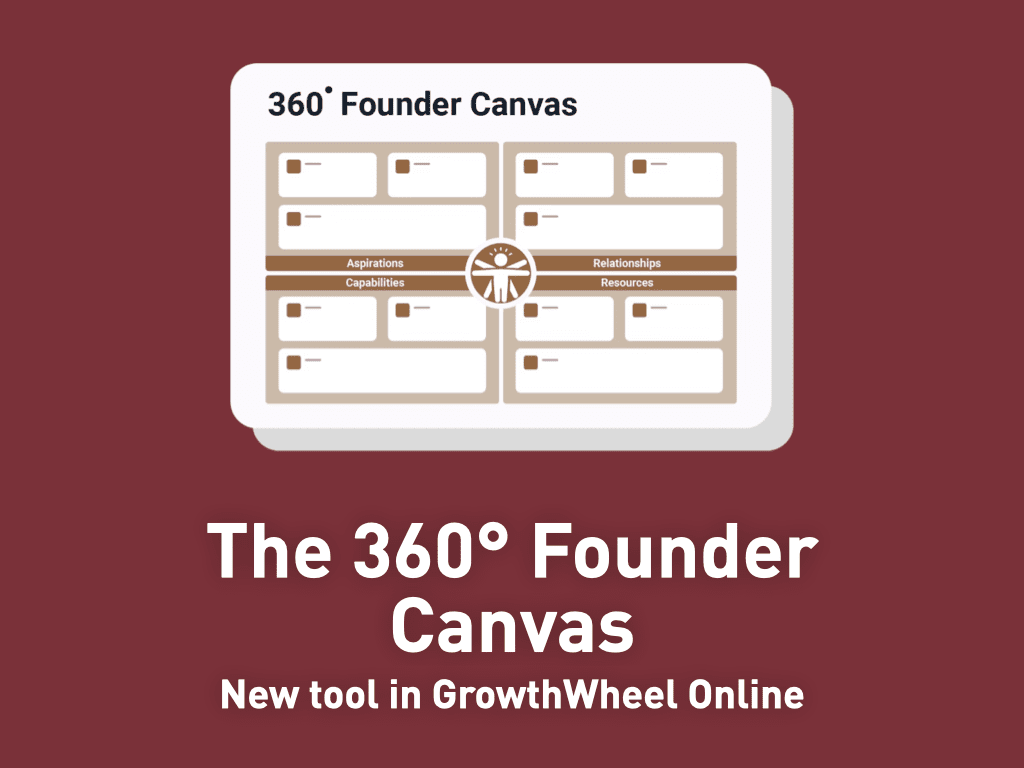
Starting a business is exciting—but also challenging. The 360° Founder Canvas by GrowthWheel is designed to help aspiring entrepreneurs and advisors assess readiness and identify what it really takes to get started.

This tool provides a visual framework to reflect on four essential areas of founder readiness: Aspirations, Capabilities, Relationships, and Resources.

The 360° Founder Canvas can be used with founders of any industry or background. It covers key questions such as:

  • What is your mission and vision?

  • Who would be your first customers?

  • What skills and experiences do you bring?

  • How much capital and time do you have available?

Founders can also complement this tool with making a 360º Readiness Assessment, adding some ambitions | goals and finish with a 30-60-90 Day Action Plan to convert these insights into concrete actionable next steps.

Available only for GrowthWheel Certified Business Advisors to share with their clients
👉 Get the 360° Founder Canvas in GrowthWheel Online


New Feature: AI for Business Planning using the 360° Business Canvas

We know it can take time to learn how to use AI effectively—from writing prompts to asking the right questions. Now, GrowthWheel makes this easier for you!
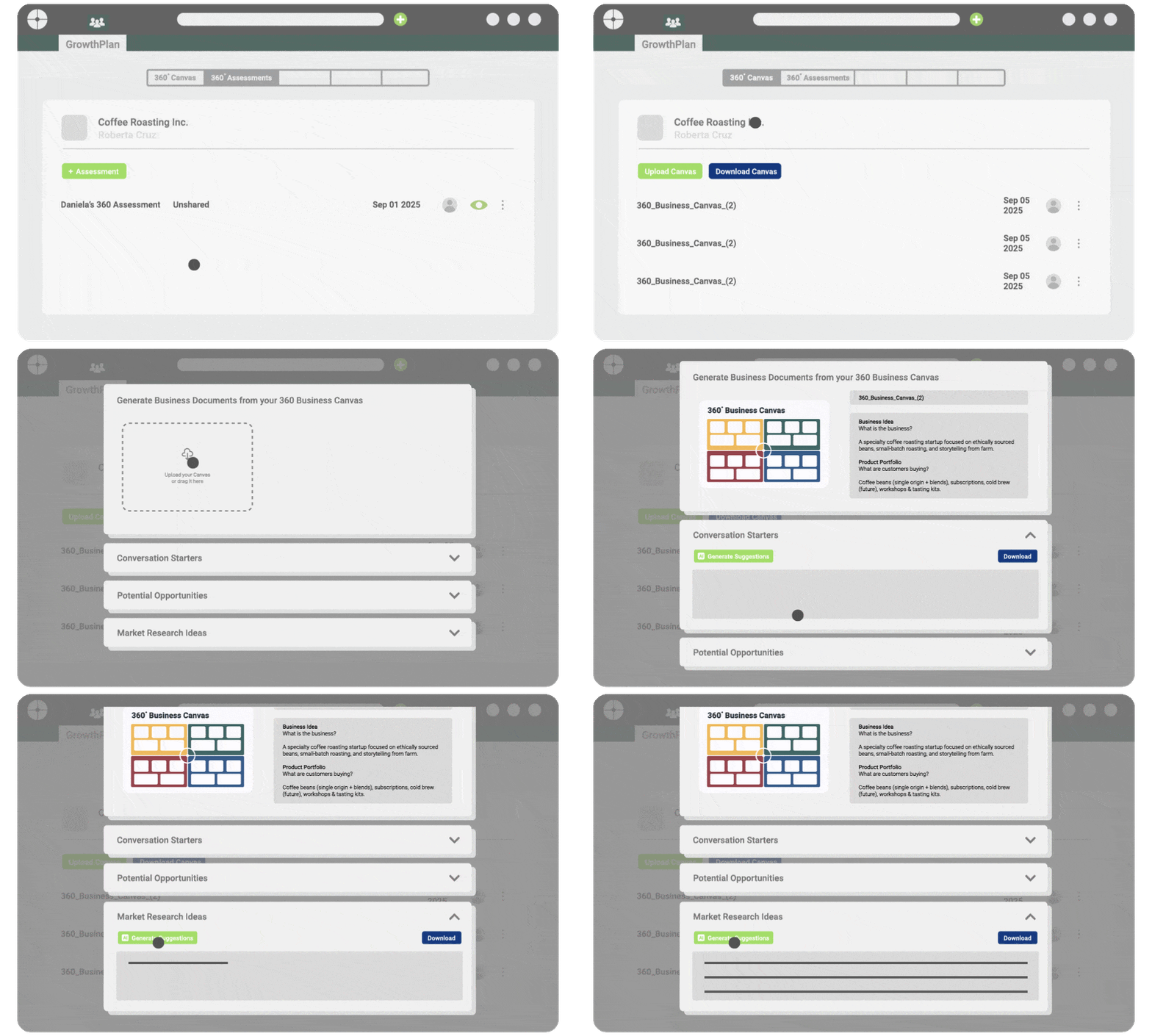
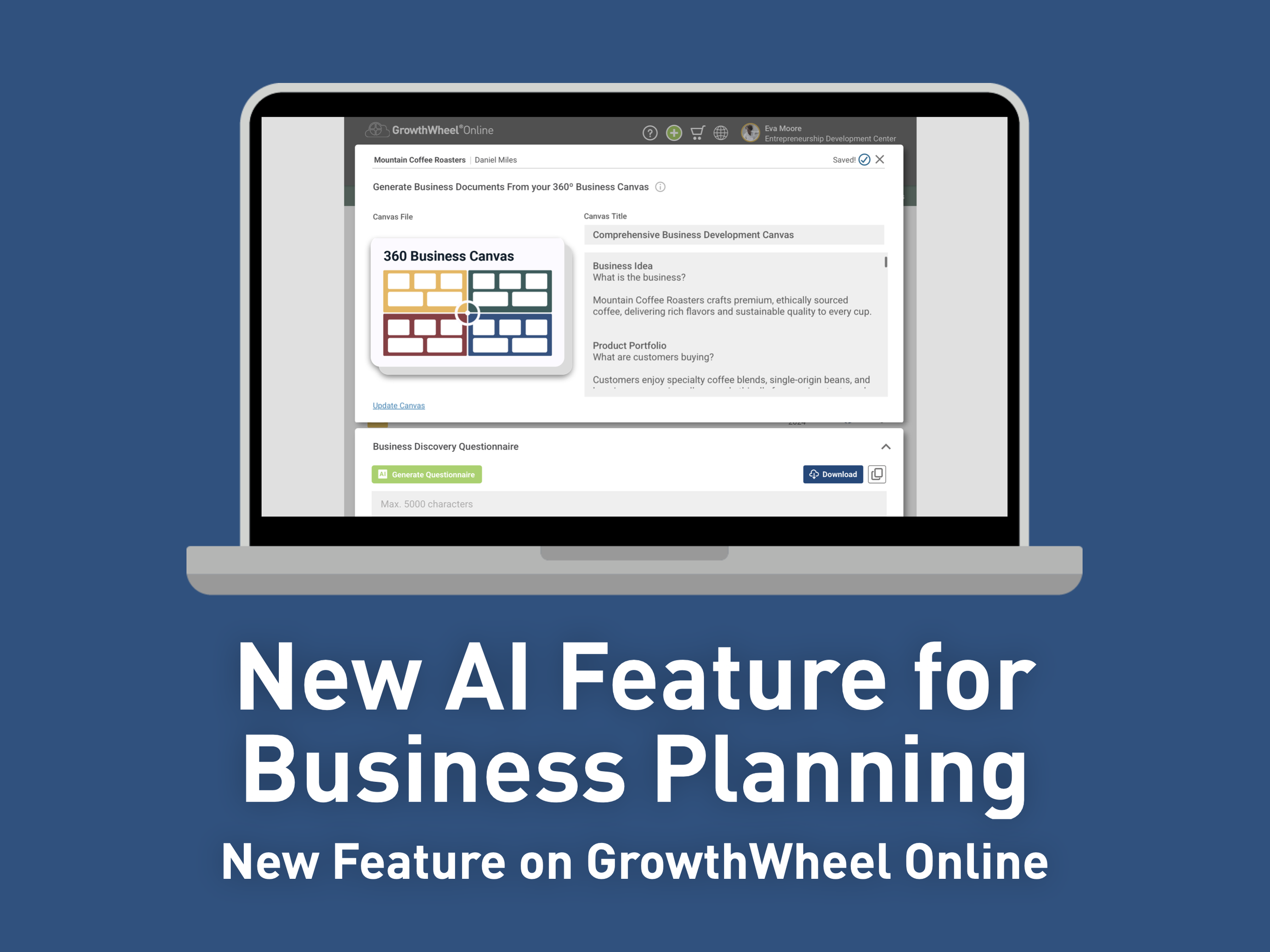
By uploading a 360º Business Canvas into GrowthWheel Online, you give the AI a complete big-picture view of any business, along with all the information it needs to serve you well.

Once uploaded, the system can generate three types of business documents of your choice:

  • Conversation starters – Get a list of industry specific questions to engage in deeper client conversations.

  • Potential Opportunities – Get inspiration across the 20 Focus Areas to brainstorm opportunities and decide where to focus next.

  • Market Research Ideas – Get resources and ideas to guide your client’s market research across all areas and support their future growth.

Additional business document options will be available soon.

Each uploaded file is saved as a record under the new “360º Canvas” page in the client’s GrowthPlan menu. You can also download a .docx file to edit or share.

With the 360º Business Canvas, you provide AI with the context it needs to deliver great results. This feature gives business advisors a simple way to use AI in business planning—helping them work more efficiently with clients.


In this short video, Elizabeth will show you how to use this in GrowthWheel Online:

New update: See All Your Client Interactions in One Place

Now you have a single page with all your interactions across all clients, so you can see all your activities at a glance and get ready for your next step.

We’ve added a new “Interactions” submenu under the Network tab in GrowthWheel Online. This gives advisors a one place to keep track of all upcoming and past client sessions. No more switching between clients or digging through individual profiles—everything you need is right there!

With this recent update you can:

  • View a complete list of interactions across all your clients. Past and Future.

  • Sort and filter the list to focus on what you need—choose to display only upcoming sessions to prepare for your next meetings, or past sessions to follow up easily.

  • See key details at a glance from the table view, including client company, sharing status, duration, and who created the session.

  • For SBA reporting centers, check the type of interaction and identify any errors quickly.

We hope this release helps you streamline your day to day workflow and plan even more productively your meetings with your clients.

One page. All interactions.


In this short video, Elizabeth will show you how to use this in GrowthWheel Online:


New update: Interactions now includes: Assessment, Tools & Outcomes.

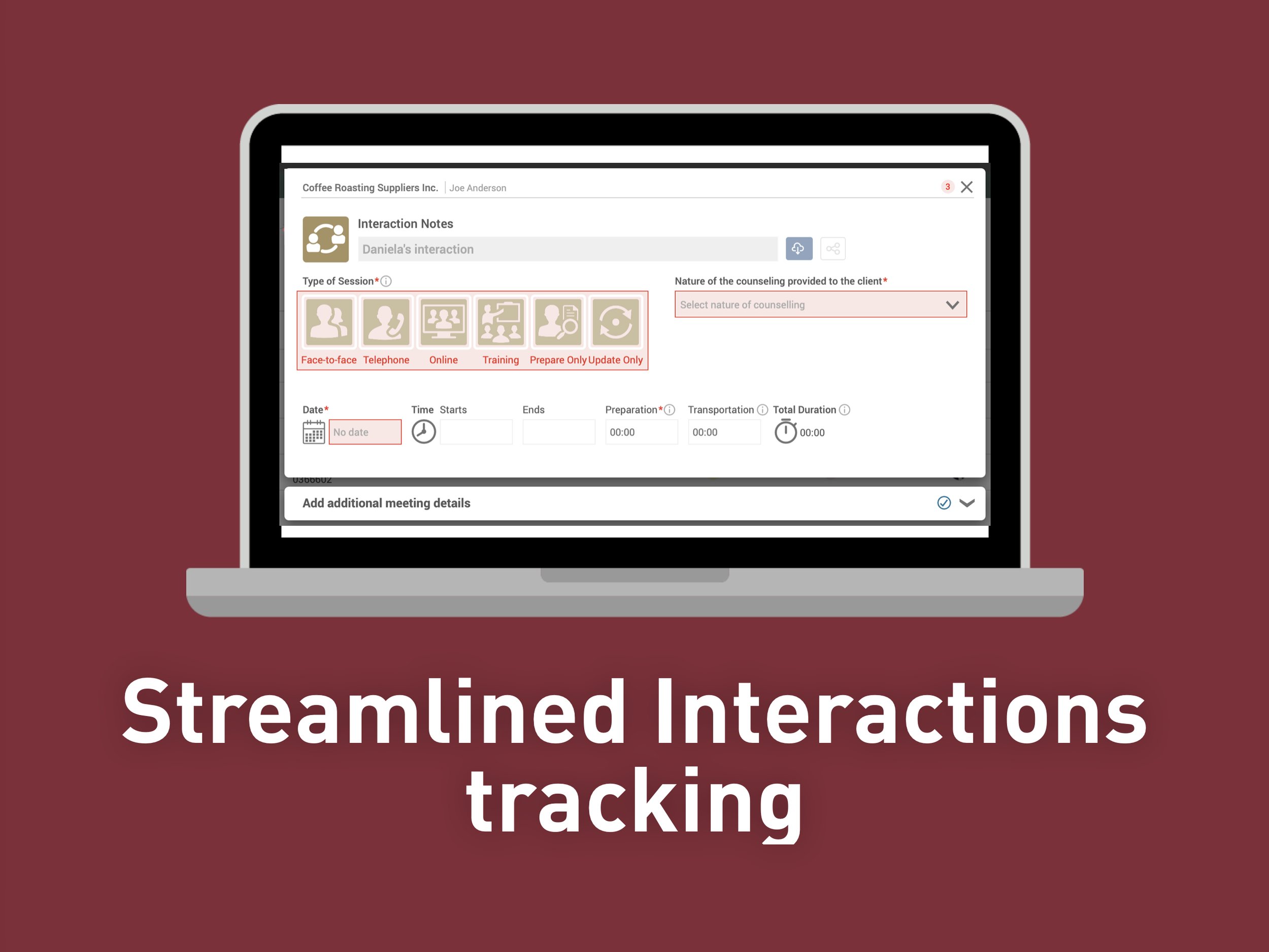
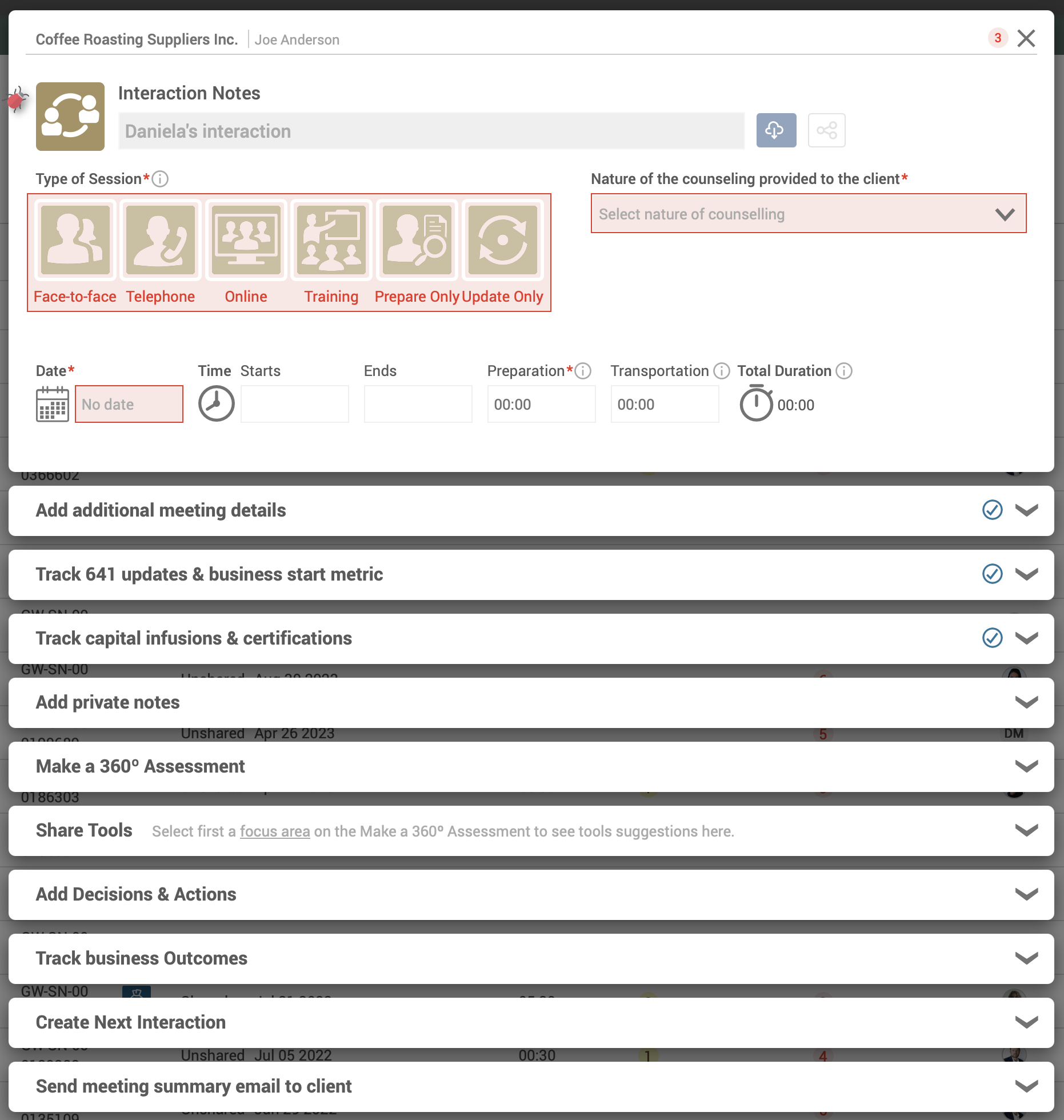
All in One Place: Create assessments, share tools and track outcomes more easily with the latest updates to the Interaction pop-up.

We know your time is precious when advising clients. That’s why we’ve made it easier to access everything you need—all in one place.

We’ve added a new Assessment section so you can quickly create a 360° Assessment during each meeting. The assessment will also appear in the client’s individual Assessment list and can be shared independently.

The Tool Suggestions section now recommends tools based on the focus areas selected in the assessment. Simply choose which tools you’d like to share with your clients.

At the bottom of the email summary, you’ll see attached tools and assessments as clickable links, making it easier to share resources—along with other meeting details.

You can also now create and track outcomes directly within any client interaction. Once shared, these outcomes will automatically appear in the email to your client.

We hope this release helps you streamline your workflow and have even more productive meetings with your clients.


In this short video, Elizabeth will show you how to use this in GrowthWheel Online:


Updated feature: 360° Assessment Pop-up With Suggested Tools

You asked for it: Now you can assess client needs and share relevant tools at the same time in GrowthWheel Online.

We’ve redesigned the 360° Assessment and linked it with the Tool Library, so you can easily work with clients on what matters most by assessing their needs and sharing tools—all within the same dialog.

The updated 360° Assessment now opens as a pop-up with sections, making it easier to navigate. We’ve also added an auto-save feature, ensuring that your updates are saved in real-time.

When you create an assessment and select a focus area—up to five areas at a time—suggested tools will now appear directly below in the new Tool Suggestions section, allowing you to quickly find decision sheets, frameworks, and articles that match your client’s needs.

You also now have a new Email section, where client details, a suggested title, and your signature will be pre-filled automatically. Any selected tools will also be included, and you can easily remove them before sending.

Lastly, we have added an Action Plan section where you can input decisions and actions for follow-up, as well as a Notes section, that you can choose to share with clients—or keep them private.

We hope this update makes it even easier to assess clients needs and share resources all in one place.


In this short video, you will see how to use this updated feature

NEW: 360º Business Canvas Free Tool

Understanding a whole business can be challenging. The 360º Business Canvas by GrowthWheel is designed to help entrepreneurs and business advisors get the big picture of any business. 

This tool provides a visual way to gain insights and identify blind spots when advising clients.

For example, while focusing on product development, it’s easy to miss how marketing, finances, or internal processes may be affected. This 360º view ensures that every key area is considered.

The 360º Business Canvas can be used for and by businesses of any size, industry, or stage. It covers 20 focus areas including competition, leadership, branding, and financing, and much more.

Designed for a quick overview, this tool is the initial part of the GrowthWheel’s four-step growth planning process, which also includes an assessment, goal-setting, and action planning.

Download the 360º Business Canvas for free and get a better understanding of your client’s business – and, literally be on the same page with them.


A Deeper Dive – Focusing on One Thing at a Time

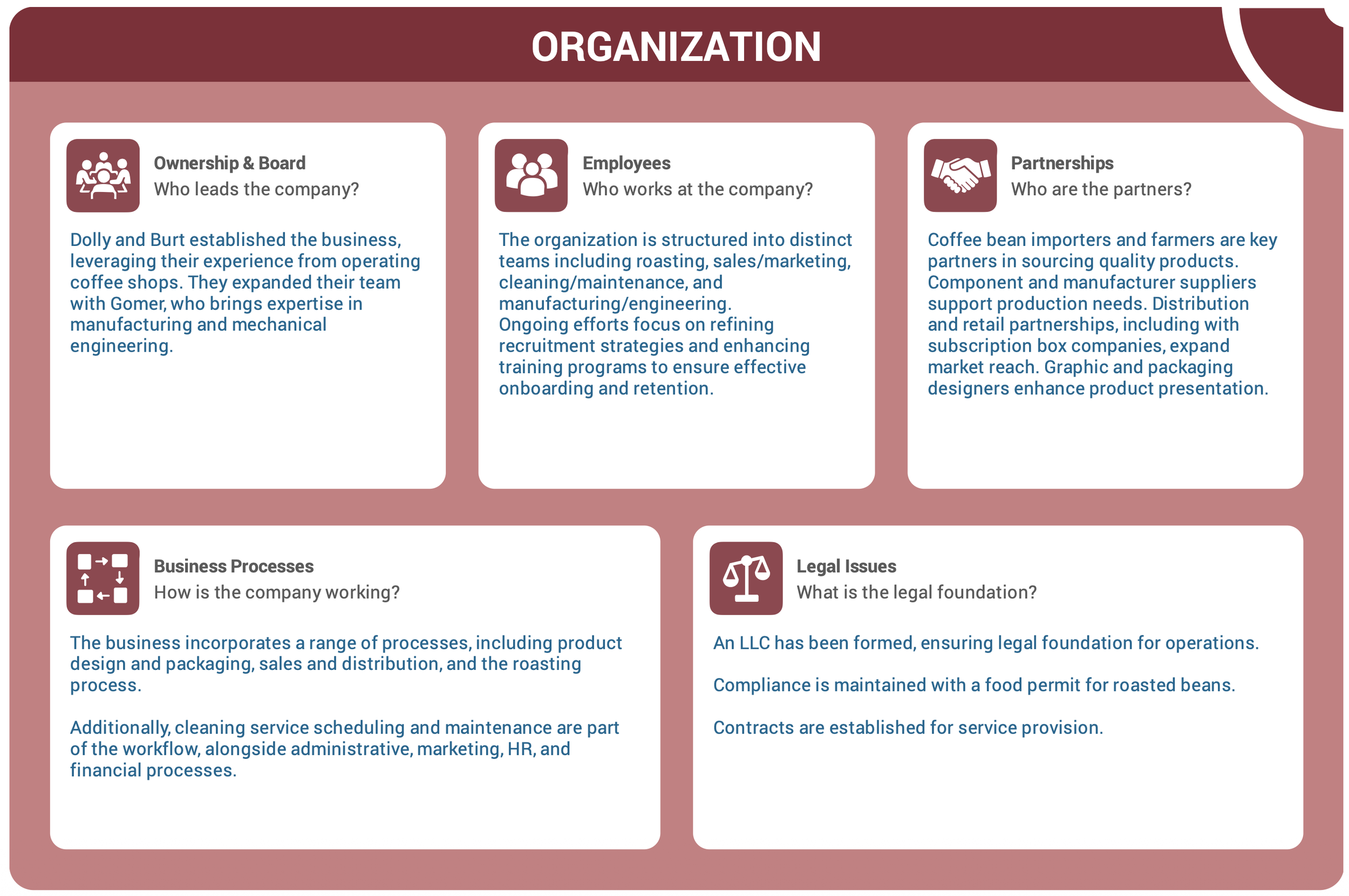
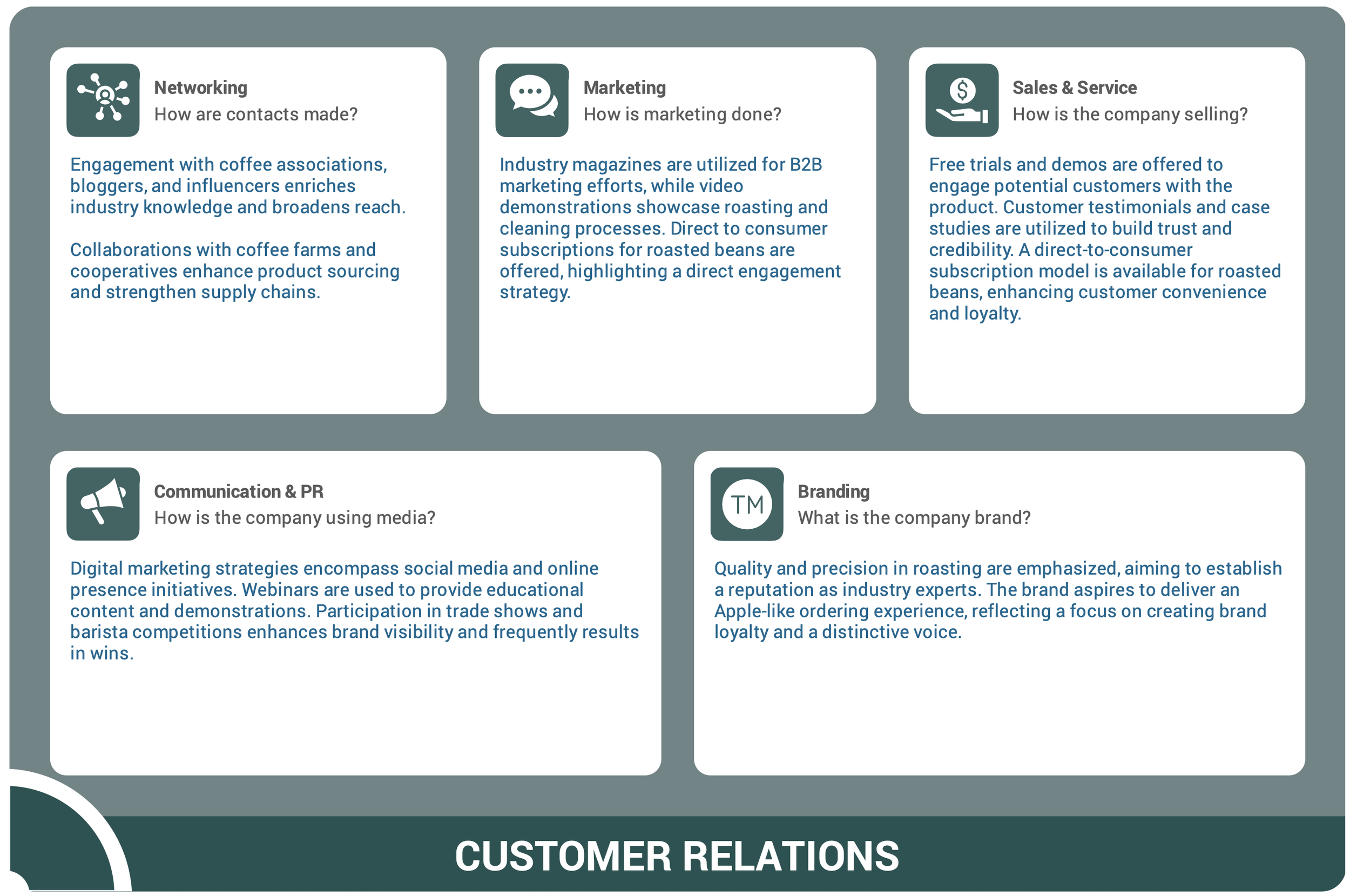
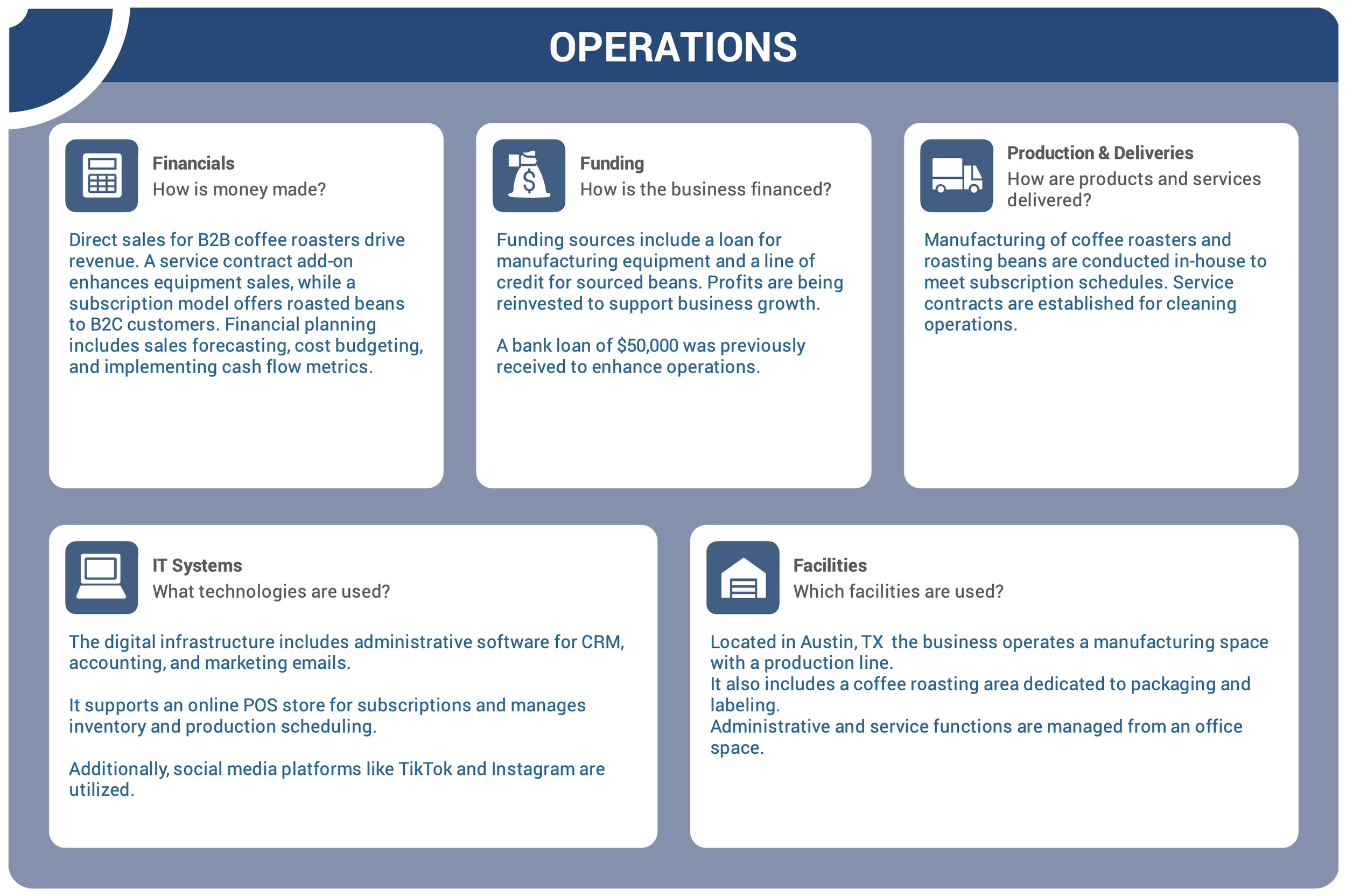
With the 360° Business Canvas, you can see the big picture—or take a deep dive into each business area, one step at a time. The tool is build on the GrowthWheel Framework which cover four growth areas that every business must consider to grow or get started:

  • Business Concept

  • Organization

  • Customer Relations

  • Operations


2024 in Review: The Newest Features on GrowthWheel Online

2024 was yet another year with monthly software updates — as always based on requests from the community of GrowthWheel Certified Business Advisors.

In 2024 we released new features and services in addition to various backend features in the software. Check them out below or see them in action on GrowthWheel Online.


Release overview

New Growth Journeys: Digital Transformation & Profitability

We curated this package of Decision Sheets to help clients that are thinking about having a digital transformation on their business.


Change the Primary Advisor for clients

From time to time, clients move from one advisor to another, and you want to keep track of this on GrowthWheel Online.

Now, you can change the Primary Advisor for each client with a click.


Existing clients are recognized on Intake Forms

Avoiding duplicate clients in your CRM system has never been easier.

Clients often fill out multiple forms when requesting counseling or signing up for training sessions, leading to duplicate entries in the system.


New Training Intake Form for SBA Advisors

If you are a WBC or a SBDC reporting to the SBA, with the new training intake forms, you can now effortlessly collect client information when they register for a training session without double entry for counseling clients too.


New Service Menu with Programs Tracking + longer notes

Tracking time and client’s enrolled in a program is now available.

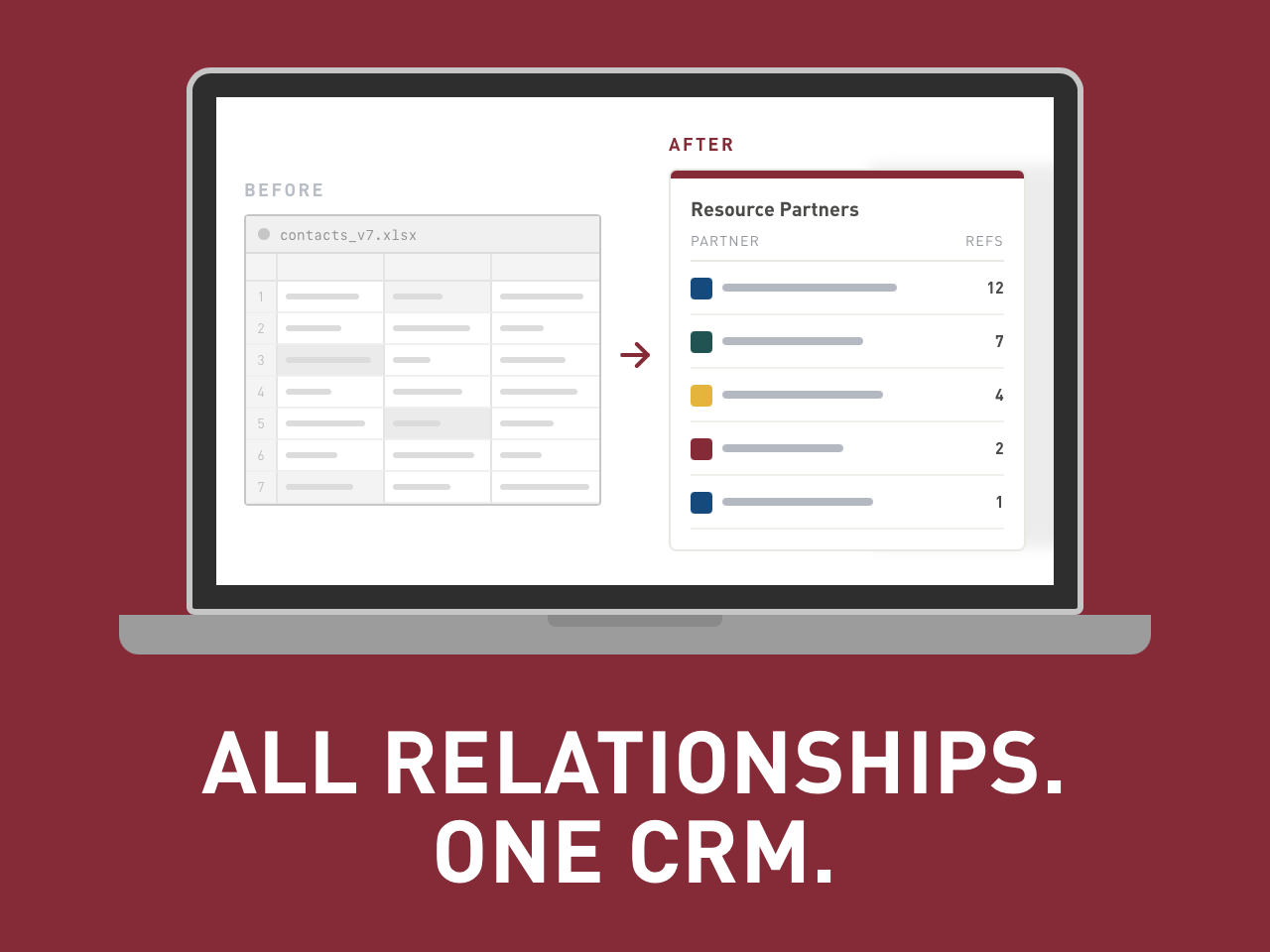
You can now easily track one or multiple programs that clients are enrolled in, plus track individual session time for each program on GrowthWheel CRM.


5 New OnDemand Training for Entrepreneurs in SPANISH

We’re thrilled to announce that the first five GrowthWheel OnDemand workshops are now available in Spanish.

This is an ongoing project to get all our OnDemand trainings for Entrepreneurs translated into multiple languages, starting with Spanish.


New Decision Sheets and Frameworks added to GrowthWheel Online

At GrowthWheel, we are constantly enhancing and expanding our training and tool offerings for our certified business advisors. This year, we’ve developed new workshops and tools to provide even greater support.


That's all for 2024! We will continue in 2025 with more updates from our community to help you be the best business advisors you can be.

New: OnDemand Training for Entrepreneurs in SPANISH

We’re thrilled to announce that the first GrowthWheel OnDemand workshops are now available in Spanish.

This is an exciting step in our mission to make entrepreneurial tools and training accessible to Spanish-speaking advisors and entrepreneurs worldwide.

These workshops cover the basics of any business and are designed to empower entrepreneurs using decision-making tools that comes with each workshop.

The first five (5) modules translated are:

  • Trabaja en tu red y haz que funcione para ti (Networking)

  • Envía tu mensaje de marketing a los clientes correctos (Marketing)

  • Toma el control de tu proceso de ventas (Sales & Service)

  • Utiliza los medios de comunicación para llamar la atención sobre su negocio (Communication & PR)

  • Crea una marca fuerte y auténtica para su negocio (Branding)

We’re actively working on translating more workshops to expand this offering and are happy to integrate these into your organization’s e-learning platform upon request.

Reach out to us to learn more about this exciting project, or request your own LMS filling out this form*.

*For GrowthWheel Certified Advisors and partners only.


New feature: New Service Menu with Programs Tracking + longer notes

You can now easily track one or multiple programs that clients are enrolled in, plus track individual session time for each program on GrowthWheel CRM.

We’ve added a new 'Services' menu to GrowthWheel Online, where you’ll find the submenu for 'Programs' – and if you report to the SBA. You will also see the 'Training' menu for your 888 tracking is moved to this new menu

If you head to the new Programs submenu, center managers can now create a list of programs with names and start dates. Later you will be able to add more details to programs.

Once managers have created a list of programs, advisors will be able to select a program for each interaction to do time-tracking per program. You will also be able to filter the client list by program. 

Additionally, we’ve extended the note limit for all clients to 3,000 characters. 

We hope this update helps you easily track multiple programs for clients and their sessions, as well as add more detailed notes to their profiles.


In this short video, you will see how to use this new feature

Updated feature: Existing clients are recognized on Intake Forms

Avoiding duplicate clients in your CRM system has never been easier.

Clients often fill out multiple forms when requesting counseling or signing up for training sessions, leading to duplicate entries in the system.

With this recent update to the intake forms in GrowthWheel Online, the system will recognize if users are already registered, eliminating the need for them to re-enter their information.

Clients will still be able to see their point of contact, ensuring they can easily reach out if needed.

Business Advisors will receive an email notification every time a new or existing client submits an intake form, whether it's for a counseling request or training registration.

Existing counseling clients who register using the training intake form will remain in their current client list, ensuring that counseling and training-only clients are kept separate and organized.

If a training-only client registers for counseling, they will be automatically transferred from the training menu to the pre-client tab, allowing an advisor to contact them regarding their counseling request. Advisors can reach out to clients directly after they've submitted their intake forms.

We hope this feature update will make it easier for clients to register for counseling or training without creating duplicates or having to fill out multiple intake forms.


In this short video, you will see how to use this new feature

New feature: New Training Intake Form for SBA Advisors

If you are a WBC or a SBDC reporting to the SBA, accurately reporting your client’s 641 information during training is essential.

With the new training intake forms, you can now effortlessly collect client information when they register for a training session.

This feature introduces a new training menu under your client list, allowing advisors to easily identify clients who have registered only for training services.

If any existing counseling clients also register using the training intake form, they will remain in the client list they currently are. This ensures that counseling clients and training-only clients are not mixed up in your client list.

Whether a training or counseling client submits a training intake form, a ‘Training’ tag will automatically be associated with their profile.

And if a training-only client registers for counseling, they will automatically be transferred from the training menu, to the pre-client tab so an advisor can contact them about their counseling request. 

We hope this update helps business advisors collect all necessary information for training clients and properly identify them on their client list.


Update: New Decision Sheets and Frameworks added to GrowthWheel Online

At GrowthWheel, we are constantly enhancing and expanding our training and tool offerings for our certified business advisors. This year, we’ve developed new workshops and tools to provide even greater support.

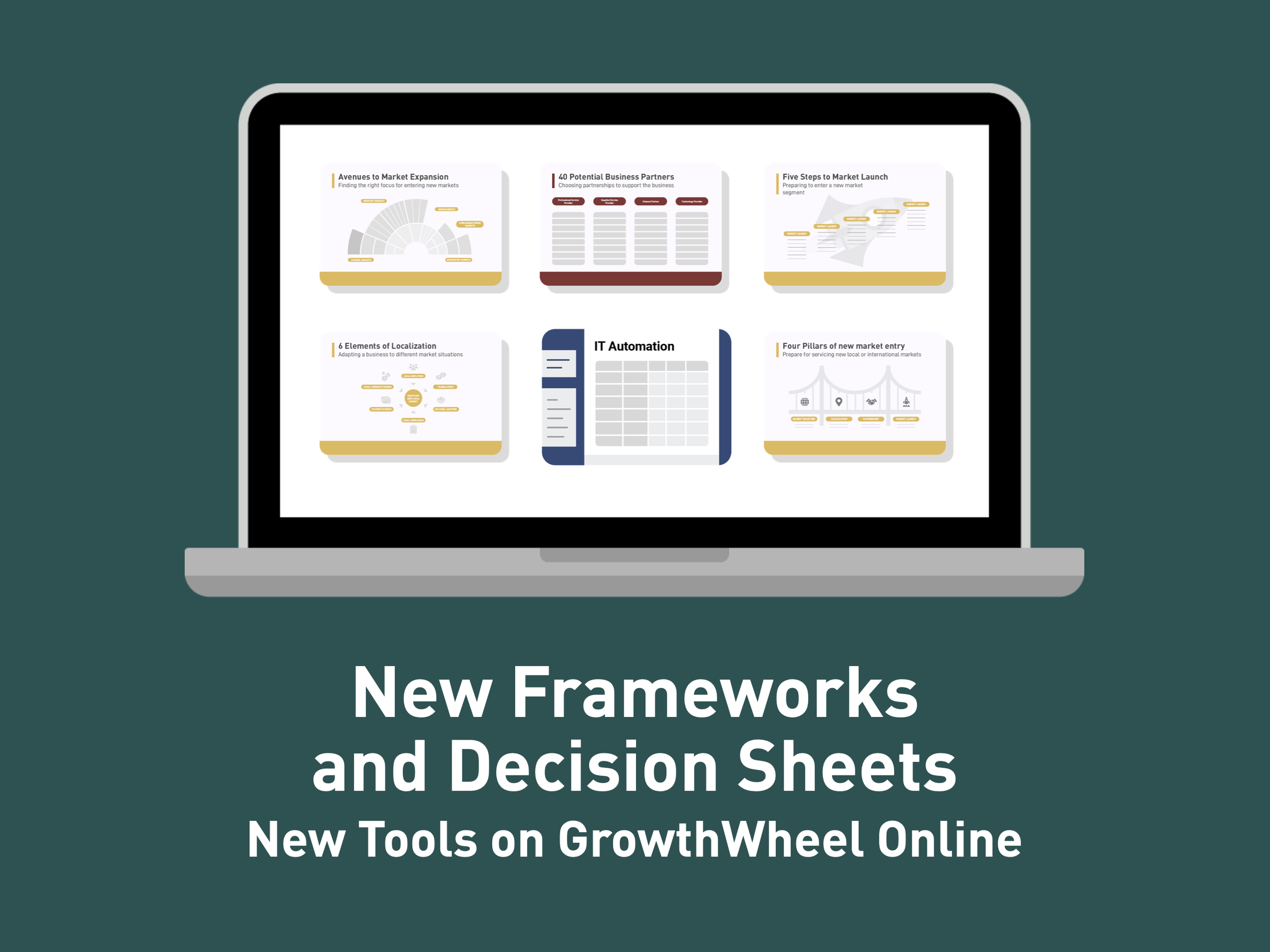
Below are the latest Decision Sheets and Frameworks, designed to help advisors empower their clients to make informed decisions and take action. Our newest tools include:


New Frameworks

  • Avenues to Market Expansion: Find the right focus for entering new markets.

  • Localization: Adapt a business to different market situations effectively.

  • New Market Entry: Follow the 4 pillars to serve new local or international markets successfully.

  • Business Partners: Explore 40 potential partnerships to enhance your organization.

  • Market Launch: Prepare strategically to enter a new market segment.

  • Increase Revenue: Discover 12 alternative paths to drive revenue growth.

  • Roads to Profitability: Identify 8 ways to increase revenue and reduce costs.

  • Reduce Expenses: Learn 12 alternative strategies to lower costs and boost efficiency.

New Decision Sheets

  • Channel Partners: Choose the right partners to support market access.

  • Revenue Growth: Create effective budgets to achieve more revenue.

  • Cost Reduction: Strategize how to cut costs while maintaining operational effectiveness.


These tools are part of our newest three Continued Education Workshops developed this year, for the following workshops:

  • Revenue: How to help clients increase sales

  • Profitability: How to help clients make money

  • Expansion: New Market Entry with GrowthWheel


New Frameworks and Decision Sheets
— Available in GrowthWheel Online