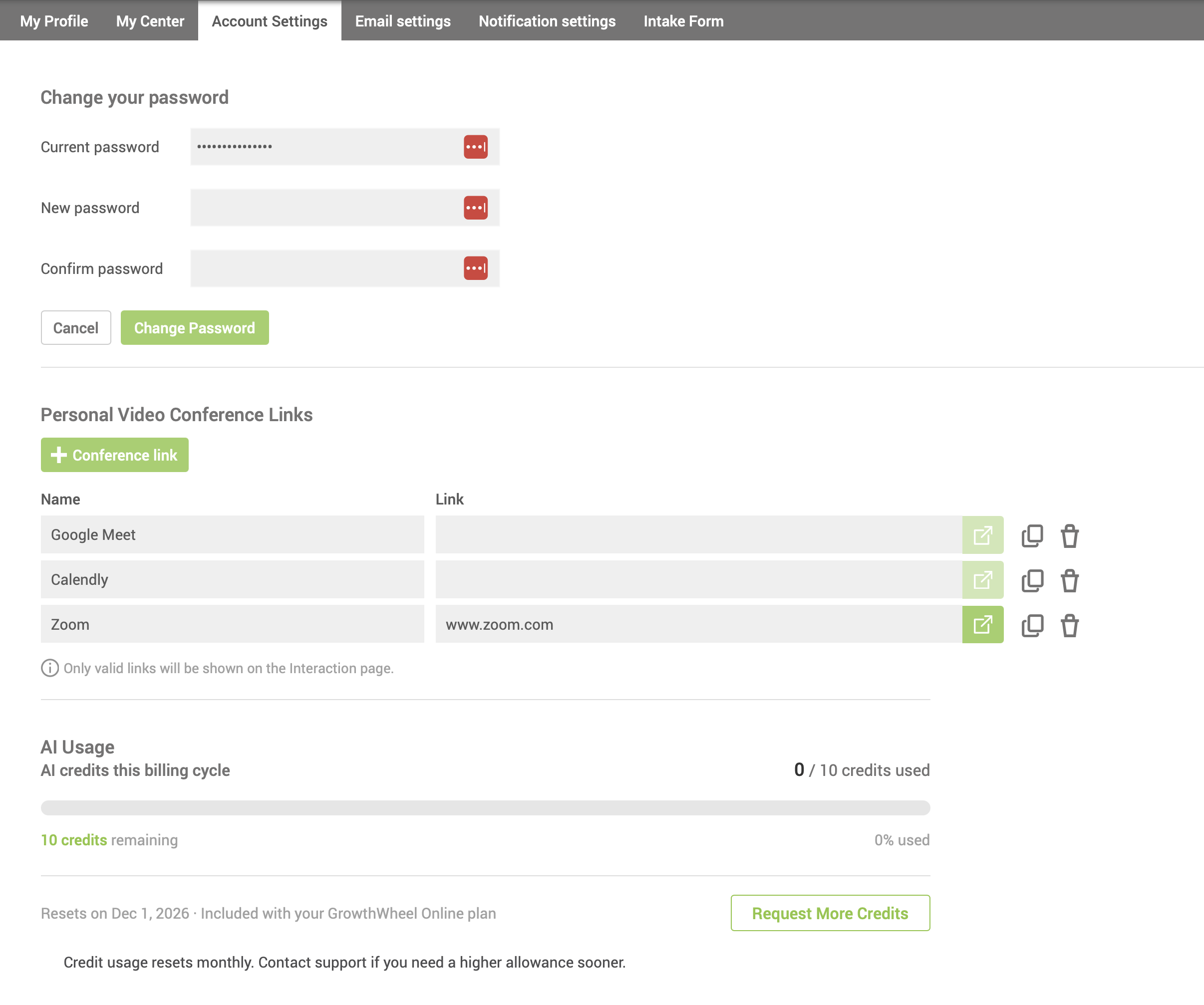
It is frustrating to reach for an AI button and find it disabled. That’s why GrowthWheel Online now shows exactly how many AI credits you have used, and how many you have left.
Open your profile settings and, in the Account settings section, scroll to AI Usage. You will see the credits used this billing cycle, the credits remaining, and the date your credits reset. The count includes every AI action: Generate AI Action Plan, conversation starters, and the 360° Business Plan.
Credits reset every month. If you reach your limit, the AI buttons appear disabled with a message. Click Request More Credits to send a request to our support team.
That way you can plan your AI use before a client session, not during it.